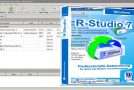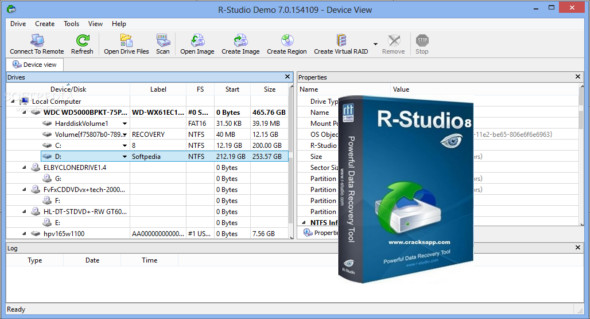
R-Studio is a powerful and efficient data recovery software suite for experienced data recovery professionals. This program is enhanced with unique new data recovery technologies. You can also use Disk Drill Pro.
R-STUDIO is the most comprehensive data recovery solution for recovering files from NTFS, NTFS5, ReFS, FAT12/16/32, exFAT, HFS/HFS+ (Macintosh), Little and Big Endian partitions. It also supports UFS1/UFS2 (FreeBSD/OpenBSD/NetBSD/Solaris) and Ext2/Ext3/Ext4 FS (Linux) partitions.
R-Studio Network Technician also uses raw file recovery (analyzing known file types) for severely damaged or unknown file systems. It works on local and network drives, even if these partitions are formatted, damaged, or deleted. Flexible settings give you complete control over data recovery.
R-Studio data recovery software was initially developed for use by data recovery experts, system administrators, IT professionals, and experienced users. Some features of R-Studio were even designed exclusively for computer forensics experts.
R-Studio data recovery features:
– Interface – Standard Windows Explorer.
– Operating system: Windows 2000, XP, 2003 Server, Vista, 2008 Server, Windows 7, Windows 8, Windows 10, Windows Server 2012.
– Data recovery over the network. Files can be recovered from network computers running Win2000/ XP/ 2003/ Vista/ 2008/ Windows 7/ Windows 8/ Windows 10 / Windows Server 2012, Macintosh, Linux and UNIX.
– Supported file systems: FAT12, FAT16, FAT32, exFAT, NTFS, NTFS5, ReFS (a new file system introduced in Windows 2012 Server), HFS / HFS + (Macintosh), Little and Big Endian variants of UFS1/ UFS2 (FreeBSD/ OpenBSD/ NetBSD/ Solaris) and Ext2/ Ext3/ Ext4 FS (Linux).
– Search for known file types (raw file recovery): If the disk's file system is severely damaged or unsupported, R-Studio searches for specific data patterns ("file signatures") typical of certain file types (Microsoft Office documents, JPGs, etc.). These known file types can be customized.
– Recognition and analysis of the layout schemes of dynamic partitions (Windows), Basic (MBR) and BSD (UNIX) and Apple partitions. Dynamic partitions on GPT are supported, as well as dynamic partitions on MBR.
– Damaged RAID recovery. If the operating system cannot recognize your RAID array, you can create a virtual RAID array from its components. Such a virtual RAID array can be treated like a real one.
– Creates image files for an entire hard drive, a partition, or a portion thereof. These image files can be compressed and split into multiple files for use on CD/DVD/flash drives or FAT16/FAT32/exFAT file systems. The image files can then be treated like regular discs.
– Data recovery from damaged or deleted partitions, encrypted files (NTFS 5), alternative data streams (NTFS, NTFS 5).
Version : 9.5 Build 191683 /Portable: Technician 9.5 Build 191683 /WinPE: MB
Language : Multilingual (French included)
Size : 331.17 MB / WinPE: 527.58 MB
Configuration:
– Windows (x86/x64 Bits): 7, 8, 8.1, 10, 11
Download R-Studio Technician / Network v9.5 Build 191683 + Portable
Download R-Studio Technician v9.5 Build 191683 WinPE
This article was updated on January 23, 2026