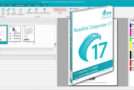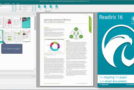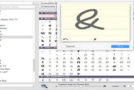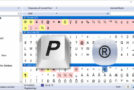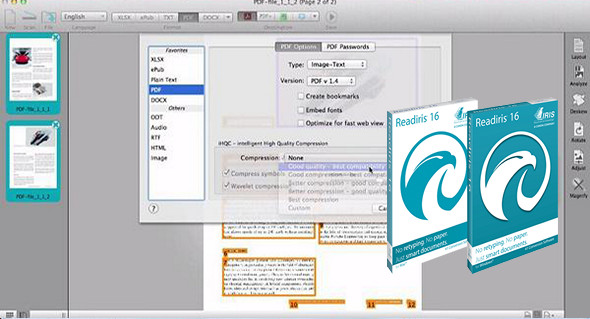
Readiris Pro is aimed at desktop users who are looking for OCR (Optical Character Recognition) application software.
To begin with, OCR programs require a scanner to be meaningful, and most scanners tend to bundle software for this specific operation. More advanced users would certainly prefer to work with a comprehensive software solution that only helps them accomplish their tasks and never limits their scope of activity to a few truly applicable features.
Readiris Pro manages to deliver above-average results in all aspects that matter in the OCR field. These include high accuracy levels, good image quality, clear display of converted text, and even easy transition to another program. With its unified feature set, Readiris Pro can handle virtually any document conversion.
FEATURES
Designed to work with any scanner:
• Readiris for Windows has a scanning module that can drive any Twain scanner without the need for external software. This module simplifies document import into Readiris 16 for Windows and ensures that documents optimized for archiving, sharing, or editing are created every time.
Creating e-books (ePub):
• Thanks to Readiris' E-book creation tool for Windows, you can easily convert any PDF, image, Word or PowerPoint file, or even a scanned document, into an ePub file compatible with most e-readers or Ebook reading software.
Save your documents to the cloud:
• Readiris for Windows lets you export all your converted documents to your preferred cloud hosting service so you can access them anytime, anywhere! List of compatible services: Dropbox, Google Drive, OneDrive, Evernote, Box, SharePoint.
Convert your documents into audio files:
• Readiris for Windows converts any image, PDF file, or scanned document into an audio file that you can listen to using an audio player. This unique feature allows you to listen to any text.
Correct the perspective of your photographs:
• The new perspective correction module allows you to automatically correct photos of documents taken from above with a smartphone or camera. The corrected document can then be processed with greater accuracy by the conversion engine.
Improve the quality of your documents:
• Readiris for Windows includes various image optimization modules to ensure good document conversion results. This optimization is performed automatically by the software, but you can also apply manual processing using the provided optimization tools. These allow you to adjust the contrast, brightness, orientation, and even sharpness of your documents before starting the conversion.
Edit your documents:
• Readiris' text editor for Windows allows you to modify the text in your documents before exporting them. This feature is very useful when you want to validate your content.
PROFESSIONAL FEATURES
– Number of pages per document – unlimited
– Converts documents into editable text
– Reads and encodes barcodes
– Creates indexed PDF files
– Modifications to PDF files
– Saves documents to the cloud
– Compatible with all Twain scanners
– Compressed PDFs
Recognition languages:
Afaan Oromo, Afrikaans, Albanian, Arabic, Asturian, Aymara, Azeri (Latin), Balinese, Basque, Bemba, Bikol, Bislama, Bosnian (Cyrillic), Bosnian (Latin), Brazilian, Breton, Bulgarian, Bulgarian-English, Byelorussian, Byelorussian-English, Catalan, Cebuano, Chamorro, Chinese (Simplified), Chinese (Traditional), Corsican, Croatian, Czech, Danish, Dutch, English (UK), English (USA), Esperanto, Estonian, Faroese, Farsi, Fijian, Finnish, French, Frisian, Friulian, Galician, Ganda, German, German (Switzerland), Greek, Greek-English, Greenlandic, Haitian Creole, Hani, Hebrew, Hiligaynon, Hungarian, Icelandic, Ido, Ilocano, Indonesian, Interlingua, Irish (Gaelic), Italian, Japanese, Javanese, Kapampangan, Kazakh, Kicongo, Kinyarwanda, Korean, Kurdish, Latin, Latvian, Lithuanian, Luba, Luxemburg, Macedonian, Macedonian-English, Madurese, Malagasy, Malay, Manx (Gaelic), Maori, Mayan, Mexican, Minangkabau, Moldovan, Mongolian (Cyrillic), Nahuatl, Norwegian, Numeric, Nyanja, Nynorsk, Occitan, Papiamento, Pidgin English (Nigeria), Polish, Portuguese, Quechua, Rhaeto-Roman, Romanian, Run di, Russian, Russian-English, Samoan, Sardinian, Scottish (Gaelic), Serbian, Serbian (Latin), Serbian-English, Shona, Slovak, Slovenian, Somali, Sotho, Spanish, Sundanese, Swahili, Swedish, Tagalog, Tahitian, Tatar (Latin), Tetum, Tok Pisin, Tonga, Tswana, Turkish, Turkmen (Latin), Ukrainian, Ukrainian-English, Uzbek, Waray, Welsh, Wolof, Xhosa, Zapotec, Zulu.
Configuration:
– Windows (x32/x64 Bits): 7, 8, 8.1, 10
– Processor: 1 GHz
– RAM: 1 GB
– Disk space: 1 GB
Language Multilingual (French included)
Size : 568.4 MB
This article was updated on June 16, 2020