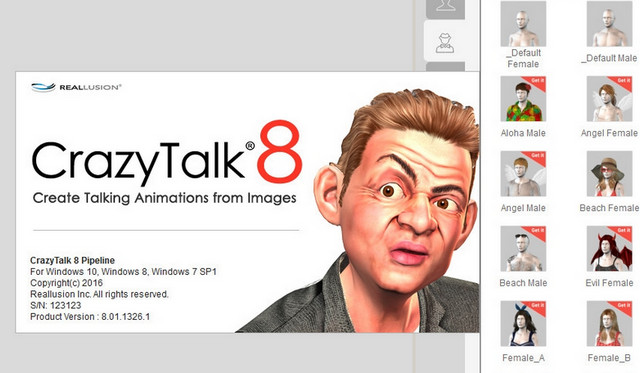
CrazyTalk brings photos, drawings, and other images to life.
In just a few minutes, they can come to life and speak!
CrazyTalk allows you to work on any image, preferably one that contains a face.
It is primarily the eyes and mouth that move in CrazyTalk.
Several templates are provided with the software.
The gaze can take on a cartoonish, animalistic, or human appearance.
CrazyTalk also allows you to add special head movements, moods, and facial expressions to make your project even more fun.
You can record or write an audio message and have the central character in the picture say it.
CrazyTalk allows you to export your projects in common media formats, but also as Widgets and in Flash.
He can even upload it directly to YouTube.
Configuration
Processor: Intel Core 2 – AMD Athlon II
64-bit system: Windows Vista/7/8/8.1/10
64-bit OS memory: 4 GB
Hard drive: 900 MB of free space
GPU: NVIDIA GeForce 8400 series – ATI X1600
SVGA video 1024×768
Facility
Disable your network card.
Execute setup.exe.
Serial: 2Y9HZ-XHDUF-JCUR2-VHUG8-MR
Follow the installation procedure.
Copy and replace the folder CrazyTalk 8 in the installation directory.
Merge into the registry signin.reg.
Merge into the registry CT801.reg.
To block CrazyTalk Pipeline in the firewall or via the hosts file, add the following lines to the HOST file:
127.0.0.1 da.reallusion.com
127.0.0.1 widgetcast.reallusion.com
- Language: English
- Size: 886.69 MB
Resource Pack
- Size: 1.05 GB
This article was updated on July 22, 2016