Several times we have deleted messages, photos or videos from our profiles, but once we do, we cannot recover them and they are gone forever.
But fortunately, nothing is ever truly lost. Even in this case, even if you delete something from your Facebook account, you can recover it. Facebook has all your data in its archives, which you can download as well.
Follow the simple steps below to learn how you can regain access to your deleted messages, photos, videos, and all other data from your Facebook profile.
Step 1First, you will need to click here to open. General settings from your Facebook account.
Step 2Once you open your general settings, you will see Download a copy of your Facebook dataSo click on it.
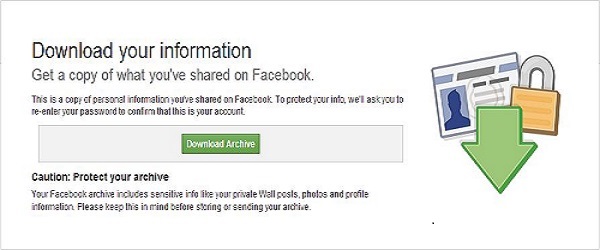
Step 3On the next page, you will see a button to download the archive, click on it and you will be prompted to enter your password to continue. This is a security step by Facebook.
Step 4After entering your Facebook password, click Submit. The next screen will show you the download link for your data, which will be sent to the email address you used to create your Facebook account.
Step 5Wait a few minutes, check your email. You will see an email from Facebook in your inbox with a download link; you are ready to download all your data.
Step 6: Now, after downloading the file, unzip it and open the folder where you will find your messages, photos, YouTube videos, Pokes, Friends List, etc.
The files will be in .html format, so you will need to double-click on the file and select your preferred browser to open it. The file will then open in your browser where you will have access to all your data.
This article was updated on August 7, 2021