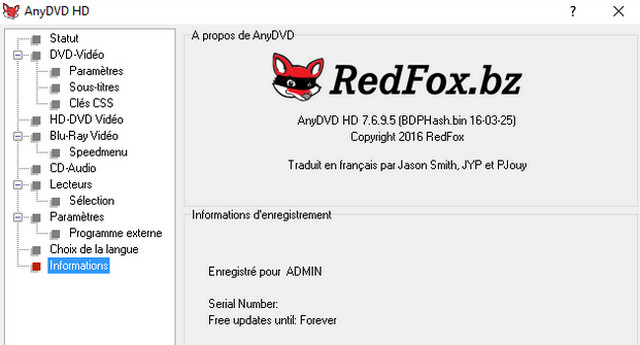
AnyDVD HD is a Windows application that automatically removes restrictions from DVDs and Blu-Rays in the background.
AnyDVD HD runs in the background to automatically and seamlessly enable playback of the DVD or Blu-ray movie content as soon as the disc is inserted into the drive. The DVD/Blu-ray will be usable in Windows and in all programs on your computer, such as DVD/Blu-ray backup software like CloneDVD, CloneBD, and others, thus supporting all DVDs and Blu-rays. AnyDVD HD optionally disables region codes (RPC), making the disc region-free and playable on all DVD/Blu-ray players and any DVD/Blu-ray playback software.
AnyDVD HD can disable unwanted movie features such as forced subtitles and forbidden chapter skips, giving you complete control over your movie. It also allows you to launch external programs when you insert or remove a disc, and prevents unwanted software from starting when a DVD video is inserted.
You can control the rotation speed of your DVD drive, allowing you to watch DVDs on your PC with minimal noise. You can even adjust your monitor's refresh rate for NTSC and PAL formats.
AnyDVD HD doesn't stop at DVDs and Blu-Rays, it also handles Audio CDs so you can play and use them.
AnyDVD HD lets you play Blu-ray movies via a digital connection to a screen, without an HDCP-certified graphics card and/or on a non-HDCP-certified screen. No need to buy a new screen. Great!
AnyDVD HD is the essential utility for Home Cinema enthusiasts.
System requirements
– A Windows-compatible PC with a minimum 2 GHz processor and 1 GB of RAM
– Windows XP to 10 – 32 & 64 bits
– For HD decryption and copying, you must have at least Windows XP SP3.
– For Blu-Ray and HD DVD, a Blu-Ray or HD DVD player is required.
Installation and activation:
1. Install the program.
2. Restart.
3. Close the program if it is active in the taskbar.
4. Launch the patcher and press the 'Patch' button.
- Language: French / Multi
- Size: 12.78 MB
This article was updated on July 21, 2016