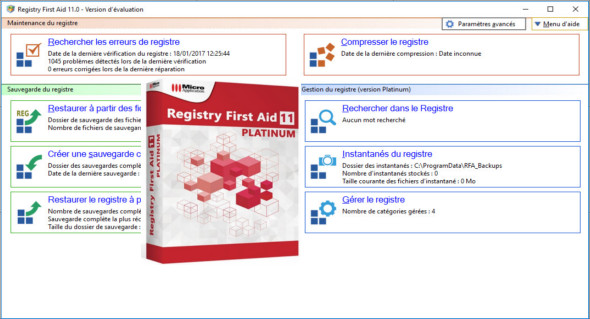
Registry First Aid analyzes and corrects registry errors. Your Windows registry will always be clean and correct. Registry First Aid scans the registry for orphaned file references, invalid font references, outdated menu items, shared DLLs, application paths, and more. Registry First Aid analyzes the Windows registry to find orphaned references that have been moved from their original locations. Then, it corrects your registry entries to match the located files or folders.
In addition, if your registry contains links to deleted application files, Registry First Aid will find these invalid entries and remove them from your registry.
With Registry First Aid, your Windows registry will always be clean and correct. This allows your programs to load faster and speeds up your computer.
Not all uninstallation programs perform a complete job, leaving behind numerous persistent file references in the Windows registry that point to files that no longer exist. Over time, you can end up with hundreds of these files, which can slow down your computer and cause the software to crash, requiring a restart.
Furthermore, if you've moved your programs from one drive to another, you might break file links that a program needs. Registry First Aid will find these files and folders that you've moved on your hard drive and help you fix the registry entries that point to them.
Registry First Aid allows you to find and fix:
– Invalid file/folder references
– Invalid police entries
– Outdated Start Menu items
– Invalid application paths
– Invalid saved help files
– Invalid shared DLL references
– Invalid program references in the autoexecutable registry keys
– Registry entries for obsolete and unused software
– Invalid known DLL registry notes
– Invalid file associations
– Search the register for multiple strings at once
– Defragment the registry files
– Create registry snapshots, find changes made to the registry, and create "undo" and "redo" files for any modified registry key
– Examine the records to which the invalid registry keys refer
– Review the registry entries using RegEdit to find the invalid elements.
– Create backups of the entire registry before making any changes, so that you can always restore your Windows registry to its original state
– Create small registry backups of the modified registry entries, so that you can always restore only the modified entries.
– Restore any modified registry entry to its original state
– Search for a modified registry entry in all backup files
– Save the list of invalid entries found in a text file
– Print the list of invalid entries found
– Schedule the automatic analysis of the register
Configuration:
– Windows (x32/x64 Bits): XP, Vista, 7, 8, 8.1, 10
– Processor: 1 GHz
– RAM: 1 GB
– Disk space: 50 MB
Language Multilingual (French included)
Size : 11.1 MB
This article was updated on March 16, 2018