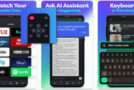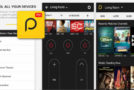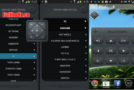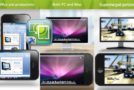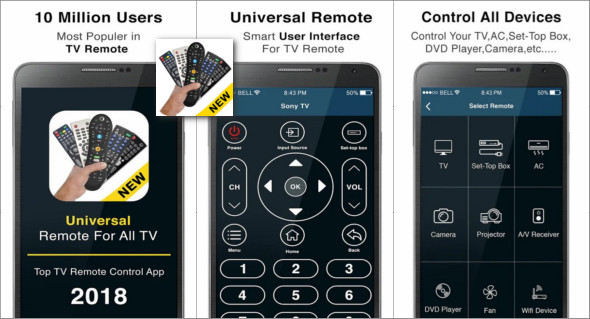
TV Remote Control Pro is an application that allows you to turn your Android device into a remote control for your:
• Television: Android, Mi, Samsung, Sony, VIZIO, Hisense, LG, Conic, Videocon, Toshiba, Philips.
• Set top box: Airtel, GTPL, Free Dish, Reliance, Tata Sky, Videocon.
• CA: Blue Star, Samsung, Daikin, Godrej, Whirlpool, Lloyd, Mitsubishi, Voltas, Philips, Panasonic, Carrier, Media.
• Camera: Canon, Sony, Nikon, Minolta, Pentax, Olympus, Fuji.
• Projector: Dell, Casio, Infocus, Lenovo, LG, Epson.
• A/V receiver: Yamaha, JBL, Kenwood.
• DVD player: Haier, Hitachi, LG, Toshiba.
The app works with the infrared built-in in phone models such as the LG G2/G4/G5, Huawei Honor 7/8, Xiaomi Mi 4/5/Redmi, and many others. For phones without infrared capabilities, such as the Samsung S8 and S7, Peel uses a Wi-Fi network to detect and control devices.
Remote automatically configures all devices on your Wi-Fi network that can be controlled via infrared. Alternatively, you can set up remote controls for your TV and cable/satellite box and use your phone to control your TV and DTH/cable box.
Remote control function for all TVs:
– Turn the control on, turn it off, activate and deactivate it.
– Digital channel buttons.
– Control of up-down volume and up-down channel.
– Menu button with up, down, left and right controls.
– Universal offline remote control for television, no internet connection required.
– Smart TV remote control for all TVs offline.
– Remote television via a mobile app for Android.
– Remote control for all television brands.
Version : 12.2
Size : 32.98 MB
Compatibility: Android 6.0 or higher
Download Remote Control v12.2 for all TVs
This article was updated on March 8, 2025