The Ultimate Internet Video Downloader and Converter
Replay Media Catcher is the world's most powerful and convenient online video downloader. It also supports audio/MP3 downloading and recording. Here's why Replay Media Catcher is the most popular tool for capturing online videos:
*Easy to use. Simply start a video, movie, or music stream online and copy the download to your PC. That's all! The Media Guide contains thousands of options to help you find the content you want.
*Conversions of various formats. Our internet video downloader supports multiple media protocols and converts them to more than 130 devices and formats.
*Powerful Audio Recorder. For music lovers, you can record and convert audio from any site or source in high quality.
*Intelligent Video/MP3 naming system. Automatically name your video files, and identify and tag your MP3 recordings. Amazing!
*Super FastAdvanced download technology captures video and MP3 files at up to 10x playback speed.
*Smartphone & Tablet support. Integrated with iTunes, DropBox, Google Drive or SkyDrive to automatically copy your files to your Apple or Android smartphone or tablet.
Download web videos and MP3s
Replay Media Catcher is the only video downloader you'll need to capture almost any video or audio source (YouTube, Dailymotion, uStream, Vimeo, ESPN, BBC, etc.). Most files can be downloaded at 10x playback speed, and for music sites that use encrypted formats, you can legally record them with the audio recorder.
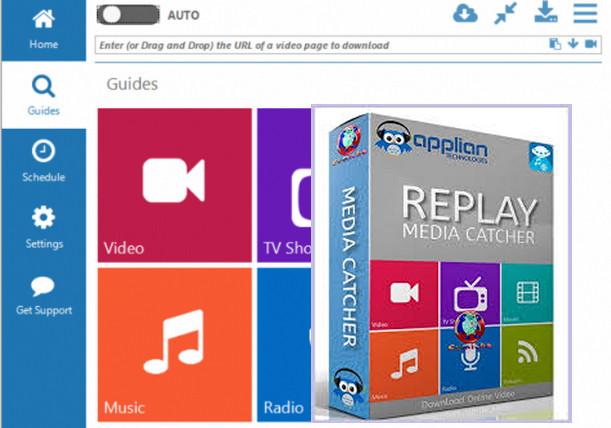
Explore the enormous Media Guide
Replay Media Catcher also includes a Media Guide to help you find and save internet videos, movies, TV series, and music. We've made it easy to use so you can find and retrieve the content you want with a simple click. You'll love our new Media Guide.
Schedule downloads, Powerful Converters
Replay Media Catcher also has a scheduler and a powerful converter.
Discover the empty downloader that professionals use to capture video, audio, and MP3s.
Configuration:
OS: Windows Vista, 7, 8, 8.1, 10 (32-bit or 64-bit)
CPU: All Intel/AMD
RAM: 128 MB
Facility:
1. Add 127.0.0.1 secure.applian.com to the host file (C:\Windows\System32\drivers\etc)
2. Install RCATSetup.exe
3. Launch the Patch
4. Click on one of the two heads
5. Wait for "—" in the blue square below the left head.
- Language: English
- Size: 29 MB
This article was updated on August 11, 2016