Optimizing a machine is necessary for it to function properly.
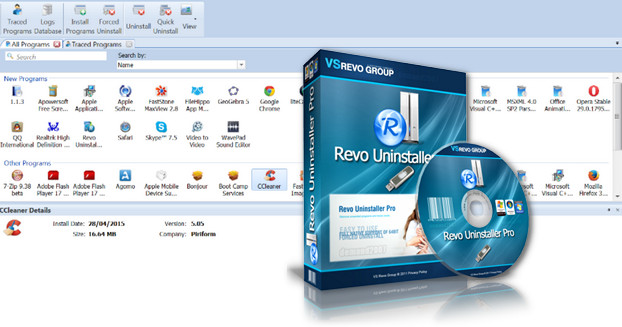
In this case, it is important to eliminate bulky or unnecessary files, and Revo Uninstaller is perfect for that.
It cleanly uninstalls software and removes unnecessary files.
Main Features:
RevoUninstaller allows you to cleanly uninstall any software or programs.
It erases all traces, even in the registry.
Finding software is made easier with the integrated search engine.
A forced uninstallation function is even available for recalcitrant software.
It is capable of monitoring software installation in real time.
It detects all files that have undergone modifications.
When the time comes to uninstall, the files to be deleted are already listed and the task will be done in 3 clicks.
To avoid unpleasant surprises due to accidental deletion or modification of the registry,
Revo Uninstaller always makes a backup.
A copy is made before its execution and before each uninstallation.
New features:
Improved scanning of residual traces.
Minor bug fixes.
Configuration
Windows XP, Vista, 7, 8, 8.1, 10 (32-bit & 64-bit)
500 MHz processor
512 MB of available RAM
1028×768 compatible video card.
40 MB of free hard drive space
Facility
1. Launch the Setup – Do not start the program.
2. Show hidden files/folders. Click HERE for help
3. Copy the license file "revouninstallerpro.lic" to: C:\ProgramData\VS Revo Group\Revo Uninstaller Pro
Note: not in C:\Program Files\VS Revo Group\Revo Uninstaller Pro
For XPCopy the license file "revouninstallerpro.lic" to: C:\Documents and Settings\All Users\Application Data\VS Revo Group\Revo Uninstaller Pro
If you want to change the license assignment name, look for this key in the registry (using Regedit).
HKEY_CURRENT_USER\Software\VS Revo Group\Revo Uninstaller Pro\General
Double-click on the "RegUN" data and enter the desired name.
- Language: French / Multilingual
- Size: 10.69 MB
This article was updated on July 21, 2016