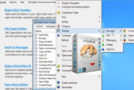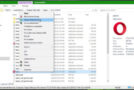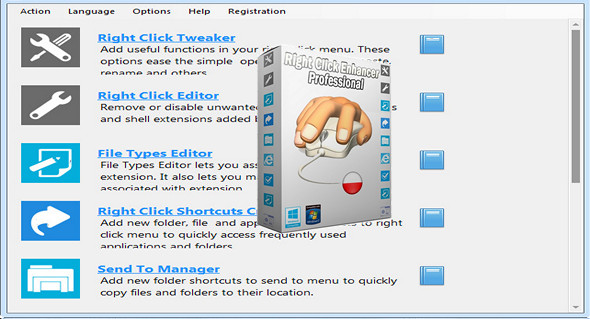
Take control of your context menu with this tool. Right Click Enhancer gives you the power to control the ultimate right-click menu that everyone uses every day. Right Click Enhancer lets you customize your context menu exactly how you want it. Now, with the help of this amazing tool, you can add great features to your right-click context menu.
Main features:
– Add a new function to your right mouse button.
– Add applications, files, and folder shortcuts to your right-click context menu
– Create submenus to add even more items
– Avoid the clutter of putting all the shortcuts on your desktop computer
– Access common file management tasks using your right-click button
– Remove or disable unwanted existing context menu entries
– Add new folder shortcuts to the submenu to facilitate the copy operation
– Add new file types to a new menu to easily create new files
– Add command-line parameters to shortcuts
Recording time setting
From time to time in your daily PC use, you've probably missed out on time-saving right-click options. Right-clicking on the Right Click Enhancer Tweaker tool is designed to add these useful functions. All the settings included in this tool can be added and removed with a single click.
Modified, right-click on the context menu with ease
When you install a new application on your PC, some add new options to your context menu. While these entries provide a quick way to use the application, not all users find them useful, and sometimes these new options take up as much space as your context menu can on your PC screen. The Right Click Editor tool in this application allows you to remove or disable these types of unwanted menu options.
Easily copy files and folders
Windows has a very useful "Send To" feature, but it's only useful when you want to copy things to a flash drive. Now, take advantage of this very useful feature with the help of this application's "Send To Manager" tool. "Send To Manager" lets you add a new folder shortcut to your Send menu, so you can copy files to that location with a single click.
Edit, right-click on the new menu with ease
In Windows, every time you right-click on the desktop or in Windows Explorer, a "New" menu appears, allowing you to create new folders, shortcuts, and files using various known file types. It helps you create new files, folders, and shortcuts easily and quickly.
Modify your file associations with ease
Although Windows offers the ability to modify file associations, you cannot edit the file icon, file description, and many other aspects of file associations using the default Windows tool. The File Format Editor allows you to do all of this and gives you complete control over file associations.
Export anything in the registry file
You can export all the changes you have made using Right Click Enhancer Professional software to the registry so that you can use this file on another PC and make the same changes on that PC without installing the application.
Configuration:
– Windows (x32/x64 Bits): XP, Vista, 7, 8, 8.1, 10
– Processor: 1 GHz
– RAM: 512 MB
– Disk space: 10 MB
Facility :
1. Install the program Right Click Enhancer Professional Setup.exe
2. Enter a key that is located in the file nserie.txt
Portable version:
1. Run the portable file\Right Click Enhancer Professional.exe
2. Enter a key that is located in the file nserie.txt
Language Multilingual (including French)
Size : 9.8 MB
This article was updated on April 4, 2017