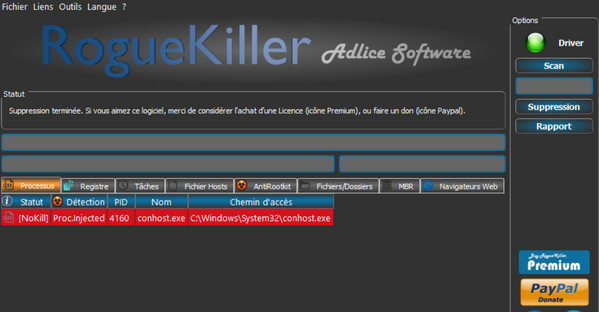
RogueKiller is an anti-malware program written in C++ and capable of detecting and removing generic malware and some advanced threats such as rootkits.
DETECTION COLORS
Since RogueKiler V9, detection colors are standardized. Please review this section before deciding what should be removed.
Red: Known malware, high detection rate
Orange: Possible malware. Often has a suspicious path and is tagged PUP (Potentially Unwanted Program).
Gray: Suspicious (Unchecked by default) Reserved for PUMs (Potentially Unwanted Modifications). This applies to proxies, DNS configurations, etc.
Green: Not detected as malware. This means the item is displayed for informational purposes only, but is not intended to be deleted (unless you decide to do so).
Based on generic methods for finding malware because of its behavior (heuristics), on generic anti-malware analyses (signature search) and on undocumented hacks, RogueKiller can find/remove most basic malware (rogues, trojans) and some advanced threats like ZeroAccess or TDSS which behave more like rootkits.
RogueKiller is a lightweight anti-malware program maintained by a small team, and as such, its detections are based on the most widespread threats. We react quickly to integrate the detection and removal of what we believe to be a global threat that could affect the largest number of people as soon as possible.
Here is a summary of RogueKiller's capabilities:
Kill the malicious processes
Stop the malicious services
Unload malicious DLLs from processes
Find/Kill hidden processes
Find and remove malicious startup entries, including:
Register entries (RUN/RUNONCE)
Scheduled tasks (1.0/2.0)
Starter folders
Find and remove registry hijackings, including:
Shell/Load Inputs
File association hijacking
DLL hijacking
Many other things
Read/Delete DNS hijackings (Reset DNS button)
Read/Remove malicious proxies (Clear Proxy button)
Read/Delete malicious Hosts entries (Reset Hosts button)
Repairing shortcuts/files hidden by Fake HDD rogues
Reading/Deleting malicious Master Boot Records (MBRs), even those hidden behind a rootkit
Listing / Removing SSDT Shadow SSDT IRP hooks (even inline hooks)
Searching for and removing system files patched/hidden by a rootkit
– RogueKiller is an antivirus computer program written in C/C++, which scans running Windows processes and kills those that are malicious.
The program is based on threat targeting: it cleans up running processes and, on request, cleans the registry. It also has additional features (restoration of the Hosts file, Proxy and DNS configurations, recovery of hidden files).
– RogueKiller is capable of analyzing and removing malicious registry keys, as well as scheduled tasks, autostart folders, and suspicious or known file locations.
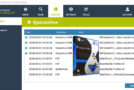
– RogueKiller's new version features a graphical interface. This makes it easier to choose which modes to use and to uncheck any false positives before deletion.
– RogueKiller also detects certain rootkits and their bypass methods such as SSDT hooks, Shadow SSDT, IRP, hidden processes, hidden registry keys and Master Boot Record (MBR) hijacking.
– RogueKiller also allows restoring functional internet access in certain cases such as DNS configuration hijacking, the installation of a malicious proxy, or hijacking of the use of the Hosts file.
– Finally, the program allows you to recover all files / folders as well as shortcuts hidden by rogues of type “Fake HDD” (System Check, System Restore, System Fix, …).
RogueKiller is a GUI-based tool (since the new version), so it's easy to use. However, some people may have difficulty interpreting the results and knowing what to do next. This is normal; malware removal can sometimes be complicated. Contact support, or better yet, take the report and post it on the forum. They know how to interpret it and will guide you through the removal process (free of charge).
Configuration:
– Windows: windows xp a 10 (32 and 64 bit)
– Intel Pentium 4 1GHz processor
– 512 MB RAM
– Hard drive with a minimum of 50MB of available space
Facility:
0) Important: Windows 8 users, disabling SmartScreen is mandatory
1) Run RogueKillerX64 or RogueKillerX86 depending on your system
2) or setup to install it
- Language: French
- Size: 72.5 MB
This article was updated on August 1, 2016