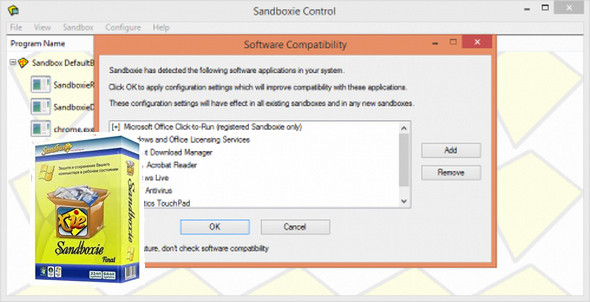
To prevent the installation of potentially dangerous programs, the most common solution is to rely on anti-spyware software. Sandboxie offers an interesting alternative: as its name suggests, it installs a "sandbox" (literally a sandbox) between applications and the hard drive.
Sandboxie can be an alternative to using antispyware. It's quite simple to use (you just launch applications from the control interface and not directly from the desktop), and this method can prove effective.
Protection:
What we do:
Sandboxie uses isolation technology to separate programs from your underlying operating system, preventing unwanted changes from occurring to your personal data, programs, and applications that reside securely on your hard drive.
Web browsing
Secure your favorite web browser and block malware, viruses, ransomware, and zero-day threats by isolating these attacks in the Sandbox; leaving your system protected
E-mail
Run your favorite email program in Sandboxie so you never have to worry about suspicious attacks or phishing attacks.
Data protection
Sandboxie restricts and blocks websites and programs from accessing your personal data (i.e., My Documents), files, and folders on your system.
Application test
Safely test and try out new programs and applications in Sandboxie and prepare for unauthorized changes to your underlying system that may occur
Configuration:
– Windows (x32/x64 Bits): Vista, 7, 8, 8.1, 10
– Processor: Pentium 4 3GHz
– RAM: 512 MB
– Disk space: 20 MB
Facility :
1- Execute: Install x86 x64.exe
(The following languages can be selected during installation)
2- We finish by patching the software
For Windows x64
— Copy the Patch x64.exe in the directory where sandboxie is installed and run it.
For Windows x86
— Copy the Patch x86.exe in the directory where sandboxie is installed and run it.
- Language : French / English
- Size : 10.5 MB
This article was updated on July 4, 2020