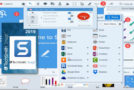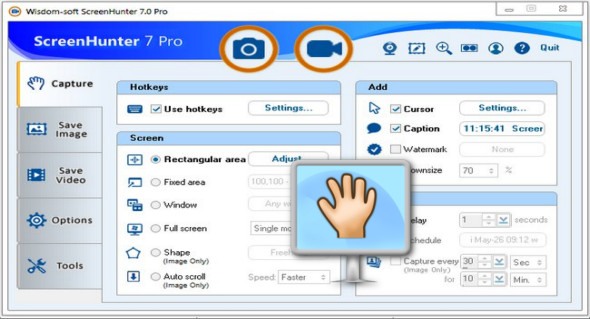
ScreenHunter 7 is a powerful and intelligent software for screen capture, image capture, printing, editing, and video recording. It's the complete capture solution for saving time and increasing productivity.
With this tool, you can capture your screen as image or PDF files, immediately benefiting from numerous time-saving features and delivering the highest quality screenshots. Furthermore, it offers an easy-to-use interface and maximum flexibility for a more interactive capture experience.
The software supports full-screen capture up to 6K for multiple monitors and records 4K video for a single monitor. It supports frame rates up to 100 fps.
ScreenHunter 7's use of DirectX allows it to produce professional-quality videos. It's a perfect tool for recording movies and online courses.
Furthermore, ScreenHunter 7 captures and records windows covered by another window or even minimized windows. Ideal for automatic or scheduled captures and recordings.
In addition, you can show your webcam anywhere at any time, so you can integrate it into your recording as you wish.
Features
– Rectangular area
– Adjustable rectangle
– Object/Window
– Automatic scrolling
– Multi-object
- Text
– Active window
– Fixed zone (user-defined)
– Specific window (locking window)
- Full screen
– DOS Program
– DirectX/Screensaver
– Film/video
– Raised hand
– Round area (Ellipse)
– Round rectangular area
– Polygon
– Web capture
– Image digitization
Addition characteristics
– Mouse pointer
– Several monitors
– Transparent window
– AutoText (time stamp, note)
– Watermark
- Border
Synchronization features
– Delayed capture
– Timed self-capture
– Scheduled automatic capture
– Recurring capture
Displaying and modifying features
– Image modification, adding text and annotations
– Advanced image processing
– High-quality zoom, resizing, and cropping
– Displaying 100 images and converting them
– Drag and drop images from the desktop
Recording functions
– Automatic designation and recording in the files
– Clipboard
– Automated email
– Automatic scale
– Save in the smallest file size
– Optimized JPEG, GIF and PNG
– High-quality transparent GIF
– Saved in TIFF format
Other features
– Screen color selector
– Zoombox
– Flexible shortcut key
– Several keyboard shortcuts
– Direct printing
– Wysiwyg Print
Version : Pro 7.0.1005
Language : English
Size : 123.4 MB
Configuration:
– Windows (x32/x64 Bits): XP, Vista, 7, 8, 8.1, 10
– Processor: 1 GHz
– RAM: 1 GB
ScreenHunter Pro 7.0.1005
This article was updated on May 15, 2019