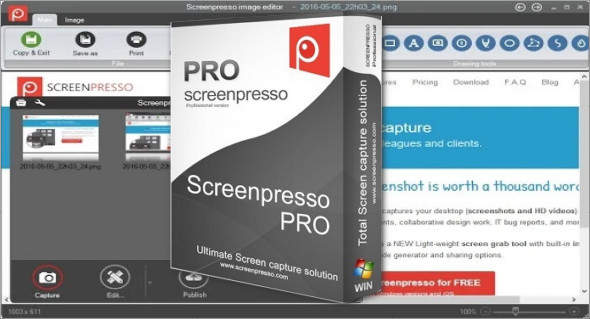
Screenpresso Pro is a professional screen capture and video recording solution designed for demanding Windows users. Built to maximize productivity, this lightweight software replaces the keyboard shortcut. Print screen traditional and allows for precise captures in just seconds. Thanks to its advanced features and intuitive interface, Screenpresso Pro is suitable for trainers, developers, support technicians, content creators, and marketing teams looking to produce clear and professional visuals.
A quick and smart screenshot
Screenpresso Pro lets you capture a specific region, an active window, or the entire screen with a single keyboard shortcut. Its intelligent system automatically detects window edges for easy selection. This precision eliminates unnecessary retouching and speeds up your workflow.
One of the software's strengths is the Capture of scrolling areasIf a web page or document exceeds the screen size, Screenpresso automatically stitches multiple screenshots together to create a single image using a powerful stitching mechanism. This feature is particularly useful for tutorials, presentations, or technical reports.
HD video recording
Beyond capturing still images, Screenpresso Pro includes a high-definition video recording module. It allows you to record your screen, add audio via a microphone, and produce clear and dynamic demonstrations. The resulting videos are ideal for online training, software demonstrations, or technical support.
Powerful built-in image editor
Screenpresso Pro includes a full-featured image editor. It allows you to:
- Add text, arrows, boxes, and annotations
- Highlight an area with a spotlight effect
- Blurring sensitive information
- Add visual effects such as drop shadows, rounded corners, or reflections.
- Crop and resize multiple images in one click
Thanks to these tools, the captures immediately take on a professional look without requiring external software.
Intelligent history and simplified management
All captures are automatically saved to an integrated history. Manual file management on the hard drive is no longer necessary. Users can quickly organize, rename, categorize, and retrieve their captures within the workspace. This feature significantly improves productivity, especially for users who perform a large number of captures daily.
Portable and lightweight application
Screenpresso Pro stands out thanks to its portable version. No complex installation is required: the software can be run directly after download. This portability is ideal for professionals working on different workstations or wishing to use the software from a USB drive.
Simplified sharing and advanced export
Sharing screenshots is quick and intuitive. Simply drag and drop an image from your history to an email or webmail service like Gmail. Screenpresso Pro also offers export options to popular services such as Twitter, Facebook, Evernote, Flickr, or via FTP.
The software also allows you to generate PDF, Word or HTML documents from successive captures, facilitating the creation of step-by-step guides or educational materials.
Responsive technical support
Pro version users benefit from priority support. Simply send an email to the dedicated team for a quick and efficient response – a significant advantage for professionals.
Alternative: FastStone Capture
There is also a popular alternative called FastStone CaptureAnother powerful screen capture and recording tool, it also offers advanced features such as scrolling window capture, a built-in editor, and a video recorder. To discover the portable version, you can visit this link:
https://www.trucnet.com/faststone-capture-portable/
Why choose Screenpresso Pro?
Screenpresso Pro stands out for its balance of simplicity, power, and portability. Its modern interface, comprehensive editor, and integrated management system make it a particularly suitable tool for professionals seeking efficiency and visual quality.
Whether it's for creating tutorials, documenting a bug, producing a user guide, or quickly sharing visual information, Screenpresso Pro offers a complete and optimized solution for Windows.
Version : 2.2.4
Language : Multilingual (French included)
Size : 39.00 MB
Configuration:
– Windows (x32/x64 Bits): 7, 8, 10, 11
Download Screenpresso Pro 2.2.4 + Portable
This article was updated on February 26, 2026