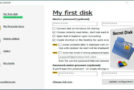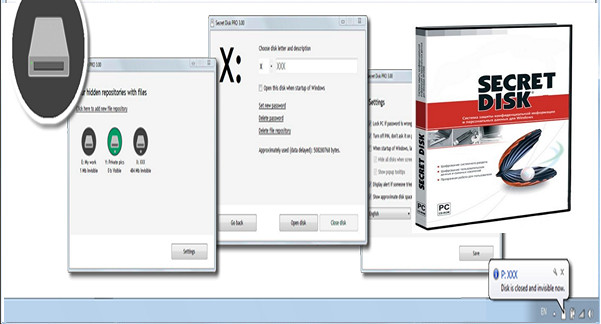
Secret Disk is a utility that allows you to create a hard drive on your computer. Password-protected, it lets you store all your confidential folders and files securely, without anyone else being able to access them.
Once the software is installed, drive X will appear in the list of hard drives: you can then store your sensitive information on it. Next, click the lock icon to make the secret drive and all its contents disappear! To display the drive again, simply launch the program, click the "Unlock" icon, and then enter your password.
In the program options, you can even set up an alert to notify you of attempts by a third party to open your hard drive.
While not the most secure solution for placing your sensitive files in a locked environment, Secret Disk remains a practical and easy-to-implement solution.
Configuration:
– Windows (x32/x64 Bits): XP, Vista, 7, 8, 8.1, 10
– Processor: 3 GHz
– RAM: 512 GB
– Disk space: 5 MB
– .NET framework 3.5 or higher
Facility :
– For the installable version: Download and installation will be online
– For the portable version, run the file SecretDisk.exe
- Language : French / Portable (English)
- Size : 1.8 MB
Portable version (English)
This article was updated on April 20, 2020