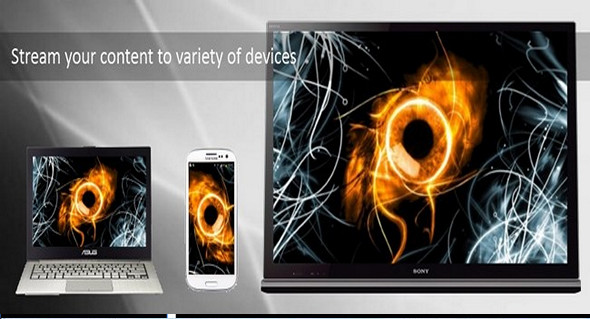
Serviio is a media server. It allows you to stream your media files (music, video or images) to rendering devices (for example, a TV, a Blu-ray player, a game console or a mobile phone) on your connected home network.
Features
– Audio, video (SD & HD) streams and image files in their native format or transcoded in real time
– Content from online sources, such as RSS feeds, live audio/video streams, and web page content
– Includes a plugin system to support streaming from non-trivial online sources
– Supports the most popular playlist formats
– Supports subtitles
– Automatic update of the media library when you add/update/delete a media file or metadata file
– Supports RAW camera images
– Wide range of localized library navigation options
– Support for different editable rendering profiles
– Support for automatic rendering detection and IP-based profile assignment
– Extract metadata from your media files as you wish, including embedded metadata – tags, local metadata files, online metadata sources (in your preferred language), XBMC, Swisscenter, MyMovies
– Supports video thumbnails, CD covers, DVD posters, etc.
– Categories of video files in film and/or series and marks the latest episodes of a series
– Available for Windows, Linux and Mac (with the option to run the server portion on one platform and the console on another)
Supported devices
Samsung TVs and Blu-ray players (supports additional features, e.g., subtitles)
Sony TVs and Blu-ray
Panasonic TVs
Playstation 3
Xbox 360
LG TVs and Blu-ray
Toshiba Televisions
Sharp TVs
Philips Televisions
WDTV Live (supports subtitles)
Oppo BDP-83
MusicPal
DirecTV DVR
Pure Deps
Android phones, iOS phones
…and many others
Supported media files
– Audio: MP3 (.mp3), MP2 (.mp2), Windows Media Audio (.wma), AAC (.m4a), OGG (.ogg, .oga), FLAC (.flac), Wawpack (.wv), Musepack (.mpc), Monkey's Audio (.ape)
– Video: MPEG-1 (.mpg, .mpeg), MPEG-2 PS (.mpg, .mpeg, vob, mod), MPEG-2 TS (.ts, .m2ts), MPEG-4 (.mp4, m4v, Mov), AVI (.avi, .divx), Windows Media Video (.wmv, .asf), Matroska (.mkv), Flash (.flv, .f4v), DVR-MS (.dvr, .dvr-ms), WTV (.wtv), OGG (.ogv, .ogm), 3GP (.3gp), RealVideo (.rm, .rmvb)
– Image: JPEG (.jpg, .jpeg), GIF (.gif), PNG (.png), RAW (.arw, .cr2, .crw, .dng, .raf, .raw,.rw2, .mrw,.nef, .nrw, .pef, .srf, .orf)
– Playlist: PLS (.pls), M3U (.m3u, .m3u8), ASX (.asx, .wax., .wrx), WPL (.wpl)
– Subtitles: SubRip (.srt, .txt), SSA/ASS (.ssa, .ass), MicroDVD (.sub, .txt), SAMI (.smi), VTT (.vtt), open text MOV
Configuration:
– Windows (x32/x64 Bits): XP, Vista, 7, 8, 8.1, 10
– Processor: 1 GHz
– RAM: 512 MB
– Disk space: 1 GB
Facility :
1. Install the application: Setup.exe
2. Simply stop the service serviio using " services.msc and copy the file serviio.jar in the folder:
“C:\Program Files\Serviio\lib\” or “C:\Program Files (X86)\Serviio\lib\”
How to stop the serviio service?
Go to the menu To start up – Execute (Windows key + R) then enter and open services.msc To access the list of Windows services, search the list for the item named serviio. From there, with a right click, you can stop it.
Language Multilingual (including French)
Size : 134.8 MB
This article was updated on July 25, 2017