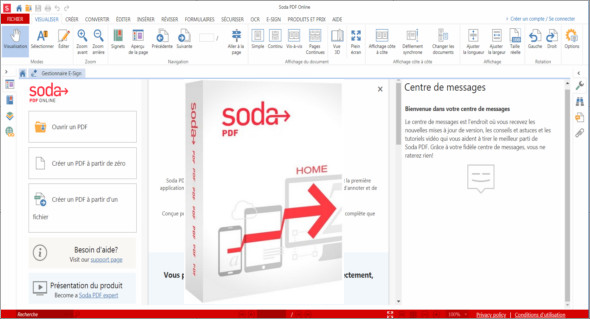
Soda PDF is software designed to help you power any PDF task; you can manage it, create PDF files from over 300 file formats, convert to different file types, edit the content of your documents, annotate your files, send and track contracts for electronic signature.
Just like a real book!
Read your PDFs and digital publications in 3D with the unique page-turning technology.
Professional documents in seconds
Create PDF files from any file, convert PDF files to Word, Excel, PPT, JPG and merge multiple files.
Take control of your files
Modify the content and customize the structure of your documents to better suit your needs.
Document revision
Strive to improve your work by annotating your documents and collaborating with others.
Peace of mind
Ensure peace of mind with enterprise-grade data protection. Add a 256-bit AES password. Restrict permissions.
Go without papers.
Send and collect legally binding electronic signatures. Create fillable digital forms such as invoices and surveys.
No need to retype
Thanks to the innovative Optical Character Recognition (OCR) function, you can transform scanned documents and images into editable PDF files.
PDF on the go
Connect to OneDrive, Dropbox, Google Drive, Box, and Evernote. Use most features on any device directly through your web browser.
Made for professionals
Soda PDF offers advanced security and collaboration features, is easy to adopt, and increases productivity. The best part is that you can access all Soda PDF features in the cloud, from any mobile device. You can even prepare and send your electronic signature contracts directly through Soda PDF.
New features:
* The new painter format allows you to copy the font type, color, size, and style of one text element to another.
* The new print selection feature allows you to select a specific area of a page and print it.
Feature improvements:
* Improved behavior of the comments panel when you click on the label "Replies #" of a comment to display only the source comment and its replies.
* Setting as default PDF application is now available from the help ribbon and offers a better user experience when configuring Soda PDF Desktop 10 as the default application.
* The improved banner messaging limits restricts invites to 1 per document.
* Disabling the Message Centre from the options now removes it from the home screen instead of only disabling incoming messages.
* The Old Applications Uninstaller program allows you to remove old, unused versions of Soda PDF.
Configuration:
– Windows (x32/x64 Bits): XP, Vista, 7, 8, 8.1, 10
– Processor: 1 GHz
– RAM: 1 GB
Language : Multilingual (French included)
Size : 4.8 MB
This article was updated on August 31, 2018