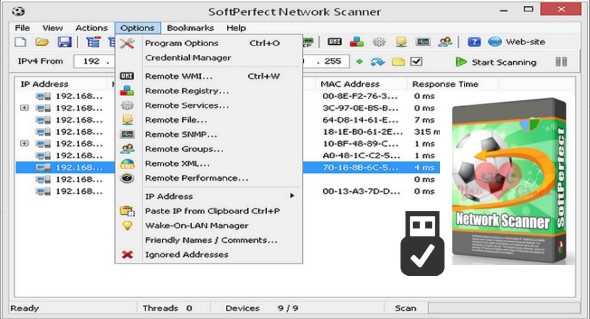
SoftPerfect Network Scanner is a fast, universal IPv4/IPv6 scanner with an extensive range of options and advanced features for system administrators and general users interested in IT security.
This powerful program can ping computers, scan ports, discover shared folders, and offers flexible filtering and display options. It can retrieve virtually all information about network devices via WMI, SNMP, HTTP, SSH, and PowerShell.
In addition, it can search for remote services, a registry, files, performance counters, and more. Results can be exported in various formats, from XML to JSON. You can also use Total Network Inventory Pro.
Features of SoftPerfect Network Scanner Portable:
– Performs a ping scan and displays live devices.
– Fully supports IPv4 and IPv6 discovery.
– Detects hardware MAC addresses, even between routers.
– Detects hidden shared folders and those that are writable.
– Detects internal and external IP addresses.
– Searches for TCP listening ports, certain UDP and SNMP services.
– Retrieves currently connected users, configured user accounts, availability, etc.
– Supports remote execution of SSH, PowerShell and VBScript commands.
– Launches external third-party applications.
– Exports results in HTML, XML, JSON, CSV and TXT formats.
– Supports Wake-On-LAN, remote shutdown and network message sending.
– Retrieves all system information via WMI, the remote registry, the file system, and the service manager.
Version : 8.1.3
Language : Multilingual (French included)
Size : 42.51 MB
Configuration:
– Windows (x32/x64 Bits): XP, Vista, 7, 8, 8.1, 10
SoftPerfect Network Scanner 8.1.3 + Portable
This article was updated on January 27, 2022