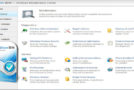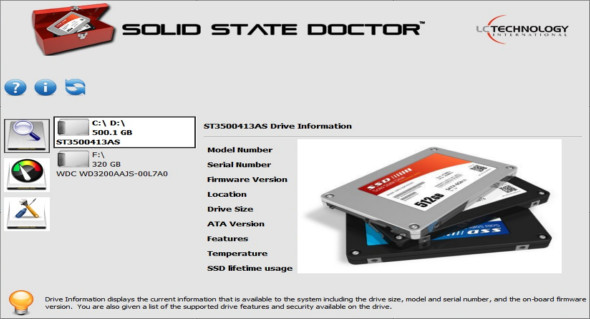
Solid State Doctor is an important and essential tool for improving the performance, optimization, cloning, data security, and firmware management of SSDs. It also gives you access to some of the unique features included in SSDs.
The SSD utility suite is a proactive support tool, empowering you to make informed decisions about your data – whether it's backing it up, securely erasing it, or optimizing your drive with the TRIM command. This suite is designed to enable faster performance and predict end-of-life by monitoring the lifespan of an SSD on Microsoft operating systems.
Reader Information Tool
This will show you basic information about each drive in your system. The information displayed will include the drive's model number, serial number, firmware version, port number, drive size, ATA version, supported functions, drive temperature, and drive lifetime.
Overprovisioning tool
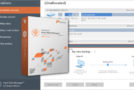
The over-provisioning tool allows the user to allocate a portion of the free space on the SSD to be used by the controller within specific guidelines. This over-provisioned space on the disk enables the controller to better manage and maintain the performance and lifespan of the SSD.
Disk cloning tool
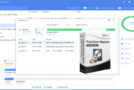
The disk cloning tool copies the contents of the selected source drive to the selected destination drive.
Optimize the TRIM tool
The Optimizer tool sends a TRIM command to the SSD, telling it which data blocks are no longer in use, such as those left over from deleted files. Regular use of the TRIM command will help the SSD maintain peak performance. We include support for Microsoft AHCI and Intel Matrix Storage Manager on all MS operating systems.
SMART Status Tool
This will display the SMART (Self-Monitoring, Analysis and Reporting Technology) of the reader as a whole, as well as the status of individual attributes of the reader.
Secure disk erasure
The Secure Wipe tool allows the user to securely erase all contents of the drive. This function will restore the drive to its original, unformatted RAW state without any file system. Data on your drive cannot be recovered after a secure wipe. For security reasons, the Secure Wipe tool will NOT allow the user to erase the contents of their boot drive.
Version : 3.1.4.9
Language : Multilingual (French included)
Size : 10.34 MB
Configuration:
– Windows (x32/x64 Bits): 7, 8, 8.1, 10
Solid State Doctor 3.1.4.9
This article was updated on May 10, 2020