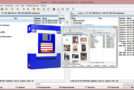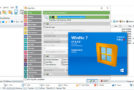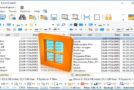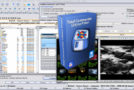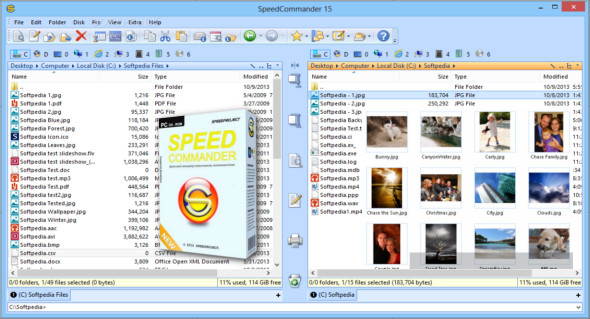
SpeedCommander is a user-friendly file manager. It leverages proven dual-window technology and offers a wealth of exclusive features. Sort, copy, move, or delete your files using your keyboard or mouse. SpeedCommander reads and creates ZIP archives, Microsoft CAB files, and fully supports 13 additional compression formats.
Some features of Speed Commander:
– Dual-window file manager
– For Windows 7, 8 and 10 (32/64 bits)
– Many customization options
– Viewer for over 80 file formats
– Supports 13 archive formats
– Access to FTP, FTP-SSL and SFTP
– Support for Macros and Add-ins
– Pro: direct access to cloud storage
– Pro: Supports ISO files and burning
Proven view from two windows
Always display both the source and the target of an operation
Multiple themes
Select Office-based and Visual Studio-based designs
Windows Tabbed Folder
Display multiple folders in a folder window
Group display
Group files according to several criteria
Tablets and Smartphones
Display virtual folders without drive letters
Views of the files
Automatically switch to another display mode
File container
Quickly access the most frequently used files
Integrated quick view
Built-in preview for over 80 file formats
Private mode
No logging of case history
Junctions and links
Creating junctions, hard links, and symbolic links
Layouts
Save and restore your current work environment
Rename
Easily rename multiple files at once
Favorite folders and user tools
Direct access to frequently used folders and applications
Integrate into Windows
Connect to the Explorer context menu and the AutoPlay dialog box
Connecting to FTP servers
Supports FTP, FTP with SSL, and FTP over SSH
File archives
Create and extract 13 archive formats
Automation using macros
Macro editor and integration of scriptable components
Add features via Add-Ins
Add-in interface for additional features
SpeedEdit
Text editor with syntax highlighting for many formats
FileSync
Synchronize folders and files
Write to optical media (Pro version only)
Writing CDs, DVDs and Blu-rays
Image files (Pro version only)
View and extract ISO/BIN disk images
Access to cloud storage (Pro version only)
Direct access to Dropbox, Google Drive and OneDrive
Keseling DirPrinter Pro (Pro version only)
Includes a single license for Keseling DirPrinter Pro
Configuration:
– Windows (x32/x64 Bits): 7, 8, 8.1, 10
– Processor: 1 GHz
– RAM: 1 GB
Language : English / German
Size : 47.2 MB
This article was updated on March 16, 2020