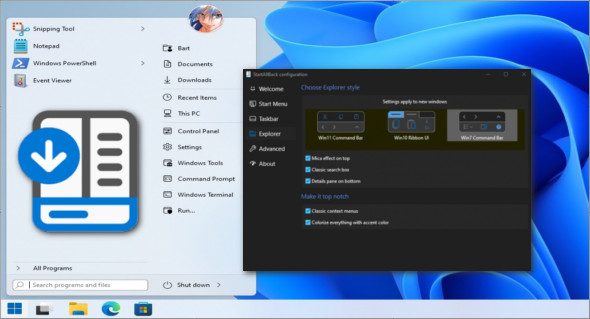
StartAllBack, created by the developers of the application StartIsBack, is an optimization tool specifically designed to restore the classic appearance of your taskbar, file explorer, Windows context menus and Start menu.
Once installed, StartAllBack removes the redesigned Windows 11 user interface and restores familiar elements from previous versions of the operating system. StartAllBack is specifically designed for Windows 11 and will not work on any older operating systems. If you want to restore the Start menu on Windows 10, you must Download StartIsBack for Windows 10, 8.1 or 8.
StartAllBack Features
– Restore and improve the taskbar
– Display labels on task icons
– Move the taskbar to the top, left, or right edge
– Drag and drop items onto the taskbar
– Center the task icons but keep the Start button on the left
– Divide into segments, use dynamic translucency
– Separate corner icons with the Windows 7/10 user interface
– Restore and improve the file explorer user interface
– Redesigned ribbon and control bar with translucent effects
– Details panel at the bottom
– Old search field (the one that works)
– Dark mode support for more dialogue
– Restore and improve context menus
– A brand new look with rounded acrylic menus
– Quick and responsive taskbar menus
– New fonts, improved touch support
– Launch applications and access system locations with a single click
– Navigate the drop-down menus like a boss
– Enjoy a fast and reliable search
Version : 3.9.20.5345
Language : Multilingual (French included)
Size : 2.38 MB
Configuration:
– Windows (x64 Bits): 11
Download StartAllBack v3.9.20.5345
This article was updated on December 9, 2025