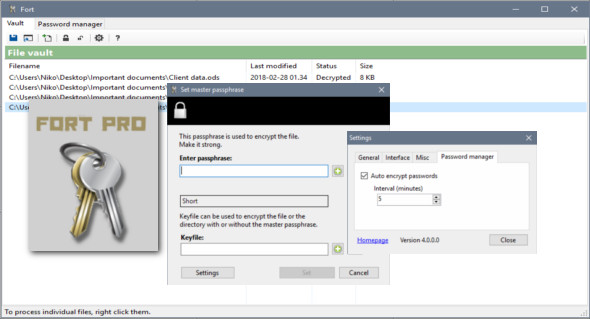
Fort is a file encryption and password management software for Windows. Fort offers easy and reliable file encryption. Password-protecting files and folders has never been easier. Fort can also be used to encrypt files and directories in OneDrive, Dropbox, and other similar services.
Offline
Always offline, no internet connection is required.
Key file support
Encrypt using a passphrase, a key file, or both.
Strong encryption
Uses AES with 256-bit keys, supports 4096-bit key files.
Avoid keyloggers
Protects against keyloggers, supports on-screen keyboards.
Easy to use
Encrypt and decrypt simply by right-clicking on files and folders. All this directly from your Windows Explorer.
Built-in password manager
Fort includes a secure yet easy-to-use password manager to keep your passwords safe.
Wherever you go
A portable version is available. This allows you to launch Fort from a USB drive. No configuration is required.
To be on
Fort detects data tampering. If your encrypted file is compromised, Fort will let you know.
What's new ?
* New feature: Fort now supports filename encryption
* Updated icons for the password dialog
* As always, updated translations
* Fixed a bug where Fort failed to find an encrypted file
* The Home edition is now free, but commercial use is not permitted and premium support is not available.
Configuration:
– Windows (x32/x64 Bits): XP, Vista, 7, 8, 8.1, 10
– Processor: 1 GHz
– RAM: 1 GB
– Disk space: 10 MB
Language Multilingual (French included)
Size : 5.3 MB
This article was updated on April 9, 2018