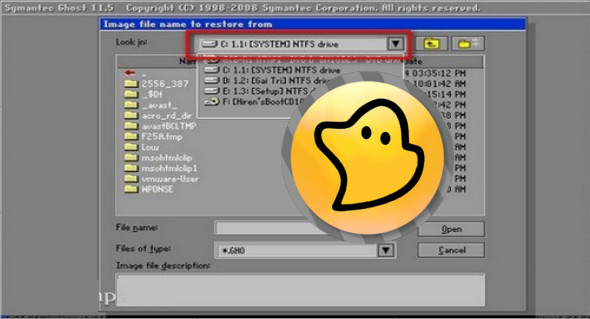
Symantec Ghost Boot CD is a powerful software for creating and restoring backup images of the entire disk, a partition, or individual folders, allowing you to restore your system even when everything seems compromised. You can also download R-Drive Image.
Norton Ghost "HOT" operations mean you can continue using Windows and its applications during rescue operations. There are no further options to schedule these actions at predefined intervals. The copy can be downloaded to a partition on your system, a CD/DVD, a Blu-ray disc, or a removable USB drive.
Norton Ghost leaves nothing to chance and even assumes that you no longer have access to Windows, for example, if some boot files are corrupted. In these cases, if you have already created the Norton Ghost Recovery disc, you can boot the system from this CD and launch a recovery procedure using a previously saved image.
Key features of Symantec Ghost Boot CD
1. Disk cloning
Allows you to copy an entire hard drive (or partition) to another storage device, sector by sector. Ideal for system migration or environment duplication.
2. Disk Imaging Creation
Generates compressed image files (.gho) of the contents of a disk or partition for backup or quick restoration. These images can be stored locally, on a network, or on external media.
3. System Restore
Allows you to restore a complete system from a previously created image. Useful in case of system failure, file corruption, or malware attack.
4. DOS or WinPE interface
The Ghost Boot CD can boot under DOS or WinPE (Windows Preinstallation Environment), offering maximum compatibility, even with systems that no longer boot normally.
5. Support for various file systems
Compatible with major file systems:
- NTFS
- FAT32 / FAT16
- EXT2 / EXT3 / EXT4 (partially)
Allows you to work on most Windows, Linux, etc. systems.
6. Compression and encryption
Offers compression levels to reduce image size. Some advanced versions also support encryption for added security.
7. Network support (TCP/IP)
Allows saving or restoring images on a local network via an SMB/NFS share or via a GhostCast server (multicast/unicast).
8. Compatibility with modern discs
Recent versions of Ghost Boot CD (v11.5+) support SATA disks, SSDs, and GPT partitions (with limitations depending on the edition).
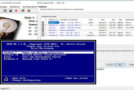
9. Simple text interface
The interface is minimalist and text-based (with menus), which ensures lightness and reliability, even on low-powered machines.
10. Script Support
Enables automation via command lines or batch scripts for massive deployments (often used in enterprise environments).
Common uses
- Deployment of system images across multiple machines (e.g., in schools or businesses)
- Backup/restore after a crash
- Disk migration (HDD to SSD)
- Creating a clean system image to restore if needed
Version : (x64): 12.0.0.11761 /(x86): 12.0.0.11499
Language : English
Size : (x64): 836.05 MB / (x86): 334.43 MB
Download Symantec Ghost Boot CD v12.0.0.11761 (x64)
Download Symantec Ghost Boot CD 12.0.0.11499 (x86)
This article was last updated on May 29, 2025