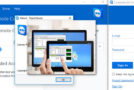
Establish inbound and outbound remote control connections to provide real-time support or access other computers. Participate in meetings and presentations, chat with other people or groups, and make video calls. After downloading and installing this software, you can set up your first session in seconds.
New features in TeamViewer 11:
Bandwidth optimization
New toolbar
Remote control of Android devices
Availability of a new universal app, "TeamViewer Remote Control," which works on Windows 10 computers, tablets, and smartphones.
Configuration
Windows XP (SP3), Vista, 7, 8, 8.1, 10 (32-bit & 64-bit)
CPU: 1 GHz
RAM: 512 MB (1 GB for 64-bit)
HDD: 320 MB
Facility:
Installer version:
1. Install TeamViewer
2. Copy the files from the folder Crack in the installation folder
If, during the file copying process, Windows tells you that the files are in use:
1. Do Windows key + R
2. Write services.msc (don't forget the .msc)
3. Search for TeamViewer 11
4. Click on Stop the service (right)
5. Restart copying the files
Portable Version (Pre-cracked):
1. Launch TeamViewer.exe
- Language: French
- Size: 105.8 MB
This article was updated on August 7, 2016