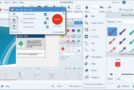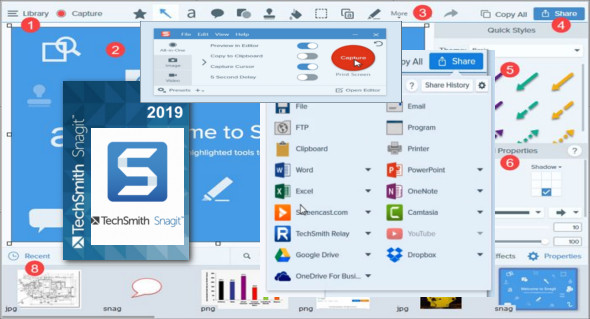
With Techsmith SnagIt, you can easily select and capture anything you want on your computer screen, then add effects, text, shapes, arrows, areas, circles, etc., and then easily save the capture to a file or share it immediately via email.
Capture and share an article, image, video, or web page directly from your screen. Or you can capture and share any part of an application running on your computer. Automatically save in one of 23 file formats (image and video) or send it to the printer, your email, or the clipboard.
With powerful new features that let you edit objects to modify your photos, your photo gallery and your catalog to organize your files, capture embedded links and add interactivity to your photos, you can increase your productivity with professional presentations and flawless documents.
Features of SnagIt 2019:
"Capture it, if you can see it, you can catch it!"
Don't waste time cropping your captures.
"Profiles make things easier. SnagIt comes with eleven predefined buttons that allow you to capture the screen in a snap!"
"You have the right tools at the right time."
» Apply ready-made objects from the menus
Simply convey complex ideas.
"Have fun! Add a speech bubble to your cat's photo."
» Save your captures throughout the commons
» Send a screenshot via email, AIM, or Skype.
Share screenshots, post images directly
» Complete your projects faster.
SnagIt automatically stores each capture and keeps the most recent one visible.
» Visualize all your major projects in one click!
Configuration :
– Windows (x64 Bits): 7, 8, 8.1, 10
– Processor: 1 GHz
– RAM: 1 GB
Language : Multilingual (French included)
Size : 290.8 MB
This article was updated on February 19, 2019