TechSmith Snagit is a professional application for capturing snapshots and recording screen activity with a variety of customizations and settings. You can also use FastStone Capture.
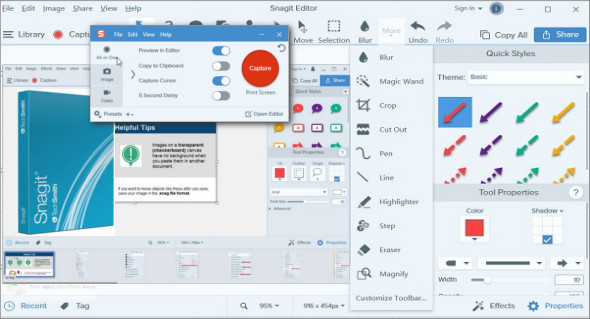
TechSmith Snagit is a powerful screen capture and recording application that comes with a professional environment offering a variety of customizations and settings for performing diverse screen recording operations. It provides a modern-looking user interface with self-explanatory options, allowing users to operate the application effortlessly. Create tutorials and record snapshots with ease. It supports saving output in various available formats.
This is the best application suitable for both professionals and beginners. Users can preview and edit recordings before exporting to remove imperfections. Furthermore, there are various predefined profiles, allowing users to customize different settings for saving recordings. The timeline function enables precise selection and editing of recordings.
TechSmith Snagit Features
– The powerful screen recording application
– Supports screenshots
– Record the entire screen or a specific area of the screen
– A more elegant user interface with simple options
– Various presets and customizable settings
– Adjust the various details of the recordings
– Save screenshots in many available formats
– Perform various screen recording operations
– Various editing tools and options
– Timeline function for precisely editing records
– Specially designed for professionals and novices
– Supports clipboard and drag-and-drop functionality
– Many other powerful options and features
Version : 26.0.0.9483
Language : Multilingual (French included)
Size : 406.05 MB
Configuration:
– Windows (x64 Bits): 7, 8, 8.1, 10, 11
Download TechSmith SnagIt v26.0.0.9483
This article was updated on January 19, 2026