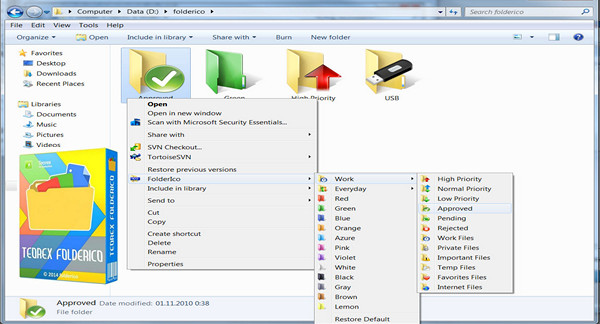
Add some color to your Windows folders with FolderIco. With just one click, color your folders and discover a new, intuitive way to organize your files.
A quick glance is now all it takes to identify the file you're looking for. You can now prioritize your files. For example: Red is an important file, orange is urgent, and green is family-related.
Choose the assignments you like, so you'll never accidentally delete an important folder. FolderIco is a very lightweight program that doesn't stay in memory. It uses a native Windows feature for greater efficiency.
FolderIco is integrated into your Windows Explorer. Right-click on any folder and FolderIco is ready to change its icon.
New products
* Improved icon creator
* Added support for Icon Packs; now you can easily create, import, and export icon packs.
* Added the "Refresh Explorer Icon Cache" option
* Added the "Correction Folder Attributes" option
* Added the 'Fix desktop.ini' option
* GUI improvements
* Improved usability and stability
Configuration:
– Windows (x32/x64 Bits): Vista, 7, 8, 8.1, 10
– Processor: 3GHz
– RAM: 512 MB
– Disk space: 500 MB
Facility :
1. Run: Setup_x86_x64.exe
2. Use the key provided
- Language : English
- Size : 124.5 MB
This article was updated on December 26, 2016