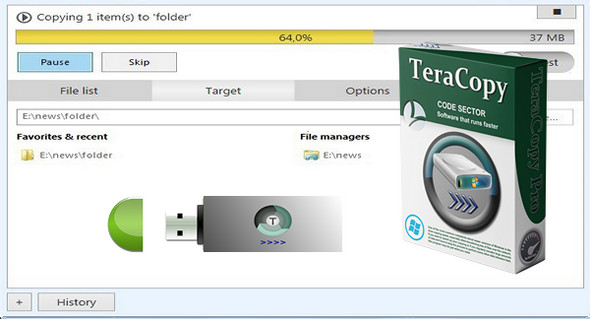
TeraCopy is a utility designed to copy and move files faster and more securely. It can resume interrupted file transfers and skips corrupted files during the copy process, even displaying skipped files at the end of the transfer. TeraCopy calculates CRC checksums on the fly to speed up source and target file comparisons. Seamless integration with Windows allows you to continue working with your files as usual.
TeraCopy is a compact program designed to copy and move files at the highest possible speed, providing the user with a large number of features:
– Copy files faster. TeraCopy uses dynamically adjusted buffers to reduce seek times. Asynchronous copying speeds up file transfers between two physical hard drives.
– Suspend and resume file transfers. Pause the copy process at any time to free up system resources and continue with a single click.
– Error recovery. In case of a copy error, TeraCopy will try several times and, in the worst case, skips the file, without completing the entire transfer.
– List of interactive files. TeraCopy displays failed file transfers and allows you to resolve the problem and copy only the problematic files.
– Shell integration. TeraCopy can completely replace the copy and move functions of Explorer, allowing you to work with files as usual.
– Full Unicode support.
TeraCopy Pro:
– Copy/move to favorites folders.
– Select the files with the same extension / same folder.
– Remove the selected files from the copy queue.
– Get free updates and priority support.
– More features coming soon!
What's new:
– “Clear transfer history” menu item.
– Application closed during copying.
– Correction: drag and drop from the 7-Zip file manager causes an access error.
– Correction: Filezilla drag and drop causes the error "Unable to Access".
– Correction: TeraCopy does not handle the command line as expected.
– Correction: folder names with periods are handled incorrectly by TeraCopy.
– Correction: the copied files have their modification date set to the current date/time.
– Correction: active area of the close buttons.
Configuration:
– Windows (x32/x64 Bits): XP, Vista, 7, 8, 8.1, 10
– Processor: 1 GHz
– RAM: 512 MB
– Disk space: 1 GB
Facility :
1. Install the file teracopy3.exe
2. There are 2 methods to activate Teracopy 3.0.8:
— Method 1 Enter the key serial.txt (simply select everything (Ctrl+A) and copy and paste)
— Method 2 Copy the file license.lic in C:\Users\[your account]\AppData\Roaming\TeraCopy
Portable version:
Run the file \TeraCopy.exe
Language : English
Size : 8.3 MB
This article was updated on March 17, 2017