Sometimes when you try to delete or move a file, Windows complains with the following message:
File used " Unable to delete… This resource is being used by another person or program"For some reason you can't figure out, you're unable to delete a stubborn file, for example, and it's frustrating. Some will restart their computer, others will use Windows safe mode, but there's a simpler solution:"
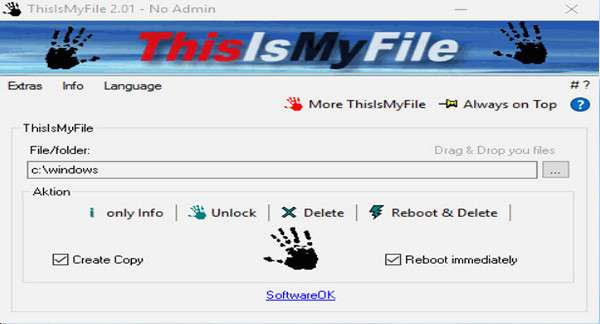
ThisIsMyFileThis software allows you to free a file or folder from the process using it, so the user can regain control. It's an effective program for unlocking and/or deleting locked or protected files.
Main features:
– Create a copy of the locked file and delete it
– Unlock only
– Restart and delete
New features 2.01 // March 3, 2017
* English and Multilingual Translation
* Installation and uninstallation functionality
* New program name ThisIsMyFile (formerly FingerWeg).
* Improvements and adjustments for Windows 10.
Configuration:
– Windows (x32/x64 Bits): XP, Vista, 7, 8, 8.1, 10 Windows Server 2000, 2008, 2012, 2016
– Processor: 1 GHz
– RAM: 512 MB
– Disk space: 5 MB
Facility :
Standard installation:
— For Win x64 installer ThisIsMyFile_x64_Installer.exe
— For Win x86 Installer ThisIsMyFile_Installer.exe
Portable version:
Execute (in administratorThe program according to your version of Windows:
— For Win x64, run the portable version\ThisIsMyFile_x64.exe
— For Win x86, run the portable versionThisIsMyFile.exe
Language English / German
Size : 0.6 MB
This article was updated on March 3, 2017