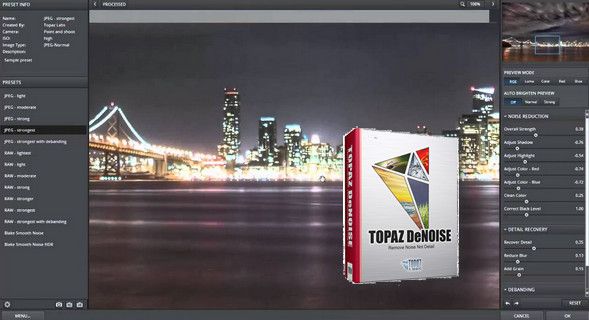
Topaz DeNoise is an image editing software that allows you to remove noise from your photos. In a photo, noise represents visual artifacts that give the image a grainy effect.
This program allows you to smooth the result for a higher quality photo. Topaz DeNoise lets you adjust the settings to give you a result as close as possible to what you're looking for.
You can precisely zoom in on any part of the image and adjust colors, shadows, and noise to match your desired look. Topaz DeNoise can be used as a standalone application or as a plugin for other programs like Adobe Photoshop or Lightroom.
Configuration:
– Windows (x32/x64 Bits): XP, Vista, 7, 8, 8.1,10
– Processor: Pentium 4
– RAM: 512 MB
– Disk space: 50 MB
Facility :
1) Run and install topazdenoise5_setup.exe
2) Use keygen.exe to generate an activation code (Click on Generatecopy the generated code, then Exit).
3) Launch the application (via Photoshop for example) and enter the activation code you generated.
- Language : English
- Size : 34.9 MB
This article was updated on November 14, 2016