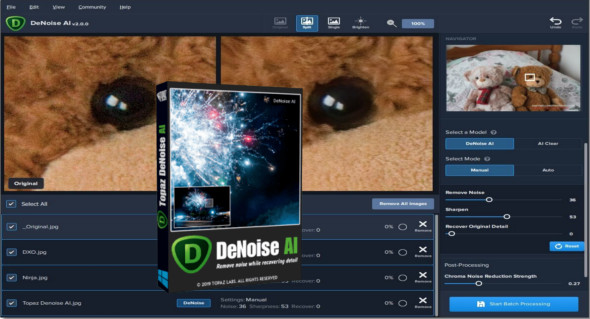
Topaz DeNoise AI is a professional photo noise reduction application with a reliable set of tools to enhance the appearance of your photos. It can also be used as a Photoshop plugin. You can also use ON1 NoNoise AI.
DeNoise AI is a powerful application for solving various photo problems and offers a variety of customizations and settings. It provides a simple solution with a range of tools and enhancements for digital image processing. Users can easily take photos in all lighting conditions and process all kinds of images to capture great photos anywhere.
Artificial intelligence makes it highly accurate and precise while working on various noise reduction processes. You can customize various image details and enhance the visual appearance of images with just a few clicks. As a Photoshop plugin, users can perform all noise reduction operations simultaneously while editing photos.
Topaz DeNoise AI Features
– A professional solution for noise reduction
– Provides a variety of photo enhancements
– Various powerful algorithms to enhance images
– Work with images taken in all lighting conditions
– Create pixel-perfect photos in any situation
– Retrieve the true details of the images
– Provides artificial intelligence features
– Work faster and more conveniently
– Supports processing multiple photos simultaneously
– Works as a standalone application or a Photoshop plugin
– Apply batch settings to all images with fast processing features
– Various settings and customizations to improve photos
– Improve image sharpness
– Chroma noise removal with the slider
– Many other powerful features to enhance images
Version : 3.7.0 /Portable: 3.2.0
Language : Multilingual (French included)
Size : 3.46 GB / Portable: 1.70 GB
Configuration:
– Windows (x64 Bits): 7, 8.1, 10
Topaz DeNoise AI 3.7.0
Topaz DeNoise AI Portable v3.2.0
This article was updated on June 23, 2022