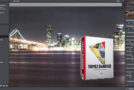
Topaz Plug-ins Bundle for Adobe Photoshop helps amateur and professional photographers accomplish the most common creative and corrective post-processing tasks. With 14 powerful and easy-to-use programs, users can quickly enhance their digital images with flexible adjustments that are easy to apply, customize…and very often with just one click!
Topaz Photoshop Bundle is a set of plug-ins from a well-known company, Topaz Labs, for Adobe Photoshop CS3, CS6, and Photoshop Elements 6. The plug-ins are designed to control ink flow, simulate oil and watercolor painting, reduce noise, separate objects from backgrounds and associate them with other images, sharpen images, and more.
Additional information:
– Instantly convert your photos into exciting art,
– Control over the artistic process with an infinitely configurable range of choices,
– The use of simple, quick and easy-to-learn sliders,
– Maximize productivity through the use of a number of built-in presets,
– Save your settings in your own presets,
– Take advantage of multiple processors for faster processing,
– Using Photoshop's smart filter for convenient and non-destructive editing.
You can install a complete set of plug-ins, and each selected plug-in can be installed individually:
– Topaz Adjust 5.1.0 – an Adobe Photoshop plug-in for digital image processing. This module allows you to easily control many aspects of digital photography, including color, detail, exposure, blur, brightness, contrast, noise reduction, and more.
– Topaz B & W Effects 2.1.0 – a black and white converter that gives you a variety of tools making it easy to create stunning black and white compositions.
– Topaz Clarity 1.0.0 – Spend more time shooting and less time post-processing by applying one of the more than 100 presets included in Topaz Clarity. These One-Click Effects have been specifically designed and developed for specific types of photography.
– Topaz Clean 3.1.0 – filter uses a unique structure to enhance the image, eliminating noise and increasing edge sharpness simultaneously. Furthermore, the filter is designed to eliminate noise from RGB images.
– Topaz DeJPEG 4.0.2 – plug-in to remove JPEG image artifacts and increase sharpness in Adobe Photoshop,
– Topaz DeNoise 6.0.1 – plug-in to eliminate noise in photos in Adobe Photoshop,
– Topaz Detail 3.2.0 – a plugin for Adobe Photoshop to create HDR images without the appearance of light halos,
– Topaz Lens Effects 1.2.0 – a new Photoshop plug-in released by Topaz Labs. It can easily simulate a wide range of realistic lenses, camera filters, and special effects.
– In just a few minutes, you can create a highly realistic effect from a list of 26 popular choices, such as vignette, motion, fisheye, old school, miniature, color balance, color enhancement and color subtraction, tilt, shift and many other changes to your photos,
– Topaz InFocus 1.0.0 – uses the latest technologies to enhance image sharpness, providing unparalleled, intuitive elegance. This is the primary tool for superior sharpness. With Topaz InFocus, you get a simple and effective tool to increase image clarity.
– Topaz ReMask 5.0.1 – an excellent plug-in for Adobe Photoshop, allows you to quickly and easily distinguish objects from the background,
– Topaz restyled 1.0.0 – apply professional, reliable and customizable effects to your photos,
– Topaz Simplify 4.1.1 – a plugin for Adobe Photoshop for creating artistic masterpieces from photos. With Topaz Simplify, you can create stunning images with simulated oil paintings, watercolors, pencil, and wood. For quick results, you can use the ready-made presets.
– Topaz Star Effects 1.1.0 – Create a unique star and lighting effect by manipulating and enhancing the appearance of different light sources found in the image. With a variety of fully customizable options for modifying the effects of light sources, you can easily add creative or dramatic flares to bright or reflective surfaces to draw more attention to those points.
– Topaz fhotoFXlab 1.2.10 – a standalone application for accessing all the plug-ins in the collection.
Configuration:
– Windows (32/64 bit): 10, 8.1, 8, 7
– Processor: Core 2 Duo or better
– RAM: 2 GB or more
– Designed for: Adobe Photoshop CS3 – CS6, CC and Adobe Photoshop Elements 6-12
– Graphics: OpenGL 2.1 and above
Facility:
– Run “azcollection_setup”.exe and install in custom mode,
– Choose the one you want,
– When you are asked for the installation directory,
– Access your Adobe Photoshop Plugin Folder (default): C:\Program Files\Adobe\Adobe Photoshop CS6\Plugins,
- To leave,
– Launch Photoshop and then open an image,
– Click on the Photoshop [Filter] tab and select Topaz Labs Plug-ins from the drop-down list,
– Click on the Topaz Plug-in tab [Menu] then enter the key corresponding to your choice.
- Language: English
- Size: 866.60 MB
This article was updated on September 11, 2016