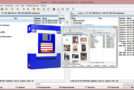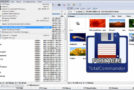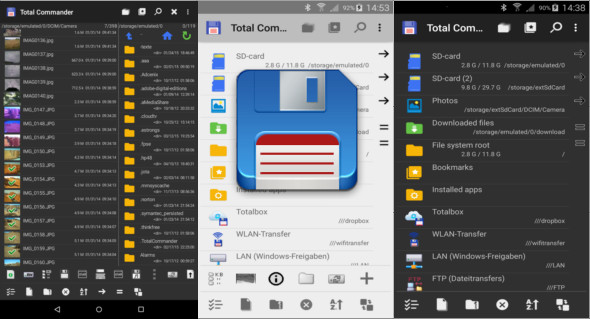
Total Commander for Android is a powerful and versatile file management application designed to offer complete control over the files and folders on an Android smartphone or tablet. A mobile adaptation of the renowned Total Commander file manager used for years on Windows, this Android version retains the philosophy of the original software: efficiency, speed, and advanced data management.
Aimed at both advanced users and professionals, Total Commander for Android stands out for its functional approach, without intrusive advertising, and for a wealth of features often absent from standard file managers.
Complete and efficient file management
Total Commander for Android allows easy navigation of the device's internal and external storage structure. It supports:
- Copying, moving, and deleting files
- The creation and management of files
- Mass renaming
- Permission management
- Advanced file search
Thanks to its structured interface, the user can manipulate large amounts of data accurately and quickly, making it an ideal tool for intensive use.
Extended support for storage and protocols
One of the strengths of Total Commander for Android is its extensive support for different storage types. The application allows access not only to local storage, but also to:
- SD cards
- USB (OTG) peripherals
- Network shares (LAN)
- FTP and SFTP servers
- WebDAV and other network protocols
This compatibility makes Total Commander a true central hub for file management, both locally and remotely.
Advanced archive management
Total Commander for Android includes powerful compressed file management features. It allows you to:
- Open ZIP and RAR archives
- Extract compressed files
- Create ZIP archives
- Navigate the archives as you would regular folders.
This feature is especially useful for users who frequently download compressed files or who wish to archive their data directly from their mobile device.
Extensions and plugins to go further
Like its Windows version, Total Commander for Android can be enhanced with plugins and extensions. These additional modules allow for the addition of new features, particularly for managing networks, cloud services, or specific formats.
This modular approach makes the application extremely flexible and adaptable to the needs of each user.
A clean and productivity-oriented interface
Unlike many modern file managers that rely on a highly graphical design, Total Commander for Android prioritizes a clean, simple, and productivity-oriented interface. This philosophy allows for:
- Quick navigation
- Improved readability
- A reduction in distractions
- Increased efficiency for complex tasks
Although the interface may seem technical to beginners, it is widely appreciated by experienced users for its logic and precision.
Safety and respect for the user
Total Commander for Android also stands out for its respect for privacy. The application contains no intrusive advertising and limits the collection of personal data. It thus constitutes a reliable alternative to more commercial file managers.
An alternative to consider: ES File Explorer File Manager
It is important to note that there is also another popular solution: ES File Explorer File Manager. This application offers a more consumer-oriented interface, with features for file management, cloud storage, and system cleaning.
You can find a detailed presentation of this alternative via this link:
https://www.trucnet.com/es-file-explorer-pro-file-manager/
Comparing Total Commander for Android and ES File Explorer allows you to choose between a professional and technical approach or a more visual and simplified experience.
Why choose Total Commander for Android?
Total Commander for Android is particularly suited to users who are looking for:
- Advanced control of their files
- An ad-free app
- Complete network and FTP management
- A reliable and proven solution
- A productivity-oriented tool
It is perfectly suited for demanding technicians, developers, system administrators or users.
Conclusion
Total Commander for Android is much more than just a file manager. It's a professional, robust, and powerful tool that offers complete control over local and remote storage on Android. Thanks to its numerous features, extensibility, and user-friendly design, it remains a leading solution for advanced mobile file management.
Version : 3.61d
Size : 5.27 MB
Compatibility: Android 2.2 or higher
Download Total Commander for Android v3.61d
This article was updated on January 3, 2026