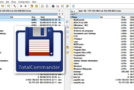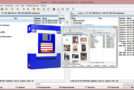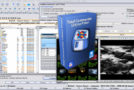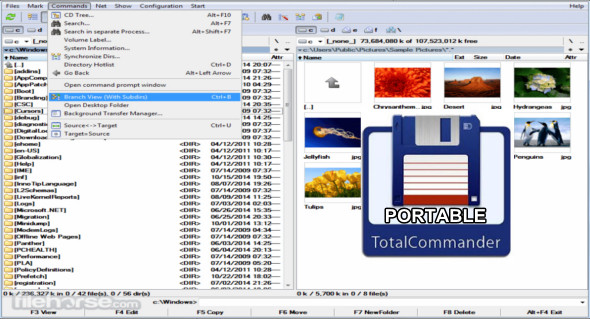
Total Commander is a file manager that can be used as an alternative to Windows Explorer. However, Total Commander uses a different method: it has two fixed windows side-by-side, which facilitates navigation and quick file transfers.
The portable Total Commander utility comes with several additional tools, allowing you to run multiple instances of the application for quick file manipulation. You can edit, move, copy, and delete your data with synchronization and a built-in archiving tool to protect your files.
Total Commander Portable has a very simple and intuitive user interface with a classic design. You can easily change the display mode for files and folders and improve accessibility by enabling the tree view. You can also use Total Commander Ultima Prime.
Features of Total Commander:
– Two file windows side by side
– Support for multiple languages and Unicode
– Improved search function
– Compare the files (now using the editor)/synchronize the directories
– Quick View panel with bitmap display
– Processing of ZIP+, ARJ, LZH, RAR, UC2, TAR, GZ, CAB, ACE archives + plug-ins
– Integrated FTP client with support for FXP (server-to-server) and HTTP proxy
– Parallel port link, multiple renaming tool
– Tabbed interface, regular expressions, history + favorites buttons
– Thumbnail display, custom columns, improved search
– Comparison editor, cursor in the lister, separate tree views, logging, improved replacement dialog, etc.
– Unicode names almost everywhere, long names (> 259 characters), password manager for FTP and plug-ins, synchronization of empty directories, 64-bit context menu, quick file filter (Ctrl + S)
– Connection to the USB port via a special direct transfer cable, a partial branch view (Ctrl + Shift + B), and numerous improvements to FTP, synchronization, and other functions
– Total Commander portable
– And much more!
Version : 11.55 Final /Mobile: 11.55 Final
Language : Multilingual (French included)
Size : 23.43 MB
Configuration:
– Windows (x32/x64 Bits): 7, 8, 8.1, 10, 11
Download Total Commander v11.55 Final + Portable
This article was last updated on June 30, 2025