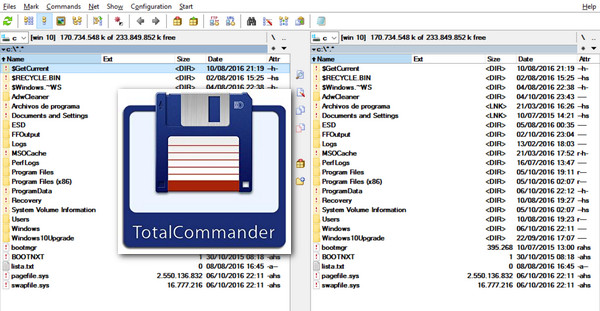
Among the many alternative file managers to the somewhat limited Windows Explorer, Total Commander stands out as a benchmark, often cited as the descendant of the famous Norton Commander.
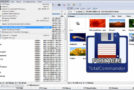
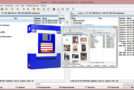
Its strength? The dual-pane display, notably used in Free Commander. This view allows you to display two different directories, an advantage whose usefulness is immediately apparent, especially for copying files.
The software also includes highly desirable advanced features such as the ability to synchronize two directories, duplicate search, navigation in archives (and this with many formats unlike Windows which only handles ZIP as standard) or the integration of an FTP manager.
Plugins can be added, such as OOSimple Viewer, a viewer for Apache OpenOffice files.
Configuration:
– Windows (32/64 Bits): XP, Vista, 7, 8, 8.1, 10
– CPU: 500 MHz
– RAM: 512 MB
– HDD: 160 MB
Facility :
Method 1 (The "Classic" Patch/Keygen Method)
1. Install tc900x32_rc2.exe (32-bit) or tc900x64_rc2.exe (64-bit)
2. Launch tc-patch (Activator Folder)
3. Choose TOTALCMD.EXE OR TOTALCMD64.EXE
4. Click on PATCH
5. Go to the Total Commander installation folder (default: C:\totalcmd)
6. Choose TOTALCMD.EXE (32-bit) OR TOTALCMD64.EXE (64-bit) then click on OK.
7. Click on KEYGEN
8. Enter the name you want in USERNAME
8b. (OPTIONAL) Put whatever you want in CITY And COUNTRY
9. Click on GENERATE Then OK
10. Click on EXIT (To close the KEYGEN) and on CLOSE (To close the PATCH)
Method 2 (Crack Method))
1. Install tc900x32_rc2 (32-bit) or tc900x64_rc2 (64-bit)
2. In the folder Crack then copy the contents of your version's folder (32-bit or 64-bit) into the Total Commander installation folder.
Portable version (pre-activated)
1. In Portable Edition, choose your version TOTALCMDPortable.x64 (64-bit) or TOTALCMDPortable.x86 (32-bit)
2. Launch TotalCMDPortable.exe
- Language : Multilingual (French included)
- Size : 157.2 MB
This article was updated on October 21, 2016