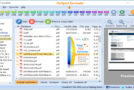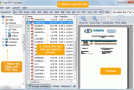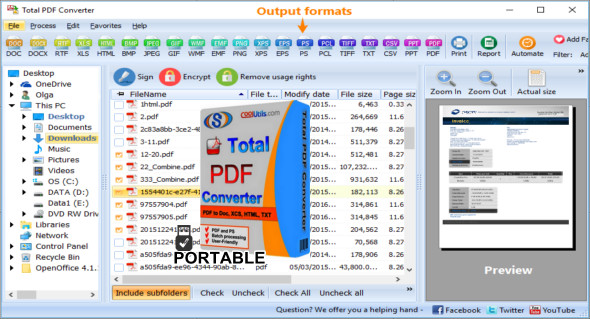
Total PDF Converter is a powerful and professional application that allows users to convert PDF files to various file formats, including HTML, DOC (Word), text, Excel, PostScript, CSV, and image. You can download the portable version of Total PDF Converter, meaning you don't need to install the program.
Total PDF Converter boasts a very simple and straightforward user interface. Its file explorer-based layout makes it easy to locate and access PDF files. It supports batch processing, saving you considerable time. Once you've specified the output file format, you can easily select the destination folder and then optionally convert each page into a separate file. You can also select which files to output and allow Total PDF Converter to delete the original files.
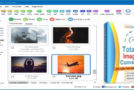
Regarding the conversion of PDF files to images, you can easily select the image quality and size. You can also enable the option to merge all pages and define the file naming convention. This simple application uses minimal system resources and includes a comprehensive help file.
Other unique features of Total PDF Converter include:
PDF Converter can save Adobe files as images (in JPEG format) and display multiple images on a single screen. This is especially useful for Sony PSP users. Display your PDF files on your TV in the way that suits you best. Pages can be displayed vertically, horizontally, or even diagonally, with one, two, three, or more pages on the screen.
– Total PDF Converter can also save conversion preferences. This means, for example, that you don't need to recheck the "Edit each page into a separate file" option every time you convert a PDF file to TIFF format.
– The tool will also give you the ability to change the page numbering in the output file from any number (e.g., "6,7,8,9", not just "1,2,3,4").
Total PDF Converter also supports DPI and paper sizes for the TIFF format. This means you can now select the quality and size of the output TIFF image. Choose between 75, 150, or 300 DPI, or define your own. The page size can be A3, A4, A5, B4, B5, or Letter. Furthermore, you can rename .tiff files to .tif via the graphical interface and command-line interface of the PDF to TIFF conversion process.
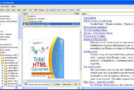
– Total PDF Converter can convert multi-page PDF files to HTML and place each page in a separate HTML file.
Version : 6.1.0.45 /Portable: 6.1.0.44
Language : Multilingual (French included)
Size : 227.57 MB / Laptop: 281.13 MB
Configuration:
– Windows (x32/x64 Bits): 7, 8, 8.1, 10
Coolutils Total PDF Converter 6.1.0.45
Coolutils Total PDF Converter Portable 6.1.0.44
This article was updated on October 20, 2020