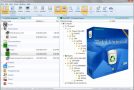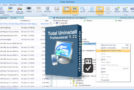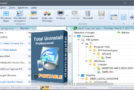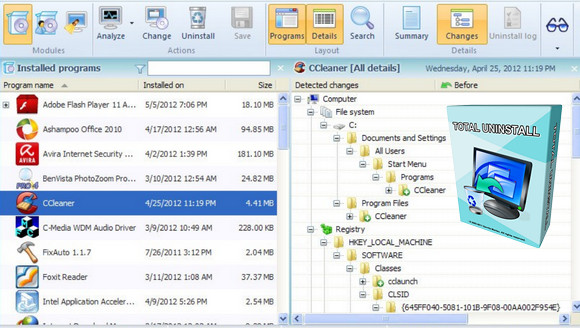
Total Uninstall is a complete uninstallation software offering two modes of operation.
The Installed Programs module It analyzes existing installations and creates a log of installation changes. Programs can be uninstalled without using the "Add/Remove Programs" function.
Simply select the program you wish to uninstall from the list, and in a few seconds Total Uninstall will analyze it and display a tree view of the files, directories, registry keys, and values detected for that program. You can view detailed information and remove specific items. Total Uninstall is then ready to uninstall the analyzed program. It will begin by using the "Add/Remove Programs" function and then continue removing other items using the log.
The Monitored Programs module This feature allows you to monitor changes made to your system during the installation of a new program. It also allows you to perform a complete uninstallation without using the uninstallation software provided with the program, which may leave behind files and modifications after its execution.
Total Uninstall creates an image of your system before installing a new program. It then takes another image after the installation is complete. It compares the two images and displays the changes on a graph, showing all registry values and/or files that were added, modified, or deleted. Total Uninstall saves these changes and, if you decide to uninstall the program, restores the system to its previous state.
Features
– Detailed analysis of existing installations and creation of a log detailing changes during installation.
– Monitoring of registry and file system changes for new installations.
– Complete and precise uninstallation of the analyzed or monitored programs.
– Creating a backup of a program and restoring the program from the backup.
– Grouping of installed or monitored programs.
– Quickly and easily locate the program to uninstall using keywords.
– Summary and detailed information for each program installed or monitored.
– Display of detected changes configurable by the user.
– Display of a detailed uninstallation log.
– Powerful in-depth search for detected changes.
– Standalone program agent for notifying of ongoing program installations.
– Exporting registry changes during installation or uninstallation.
– Exporting the list of installed or monitored programs to a file.
– Export to a file or print the detected changes.
– Transfer programs from one computer to another
Configuration:
– Windows (x32/x64 Bits): XP, Vista, 7, 8, 8.1,10
– Processor: Pentium 200 MHz
– RAM: 512 MB
– Disk space: 40 MB
Facility :
1. Install by running Total-Uninstall-Setup-6.17.1.exe And Do not launch the program after installation. (uncheck the box at the end of the installation)
2A - For 32-bit Windows:
Copy the file Tu.exe from the x86 directory and paste it into the installation directory
" C:\Program Files (x86)\Total Uninstall 6"
2B - For 64-bit Windows:
Copy the file Tu.exe from the x64 directory and paste it into the installation directory
" C:\Program Files\Total Uninstall 6"
- Language : Multilingual (French included)
- Size : 37.6 MB
This article was updated on November 3, 2016