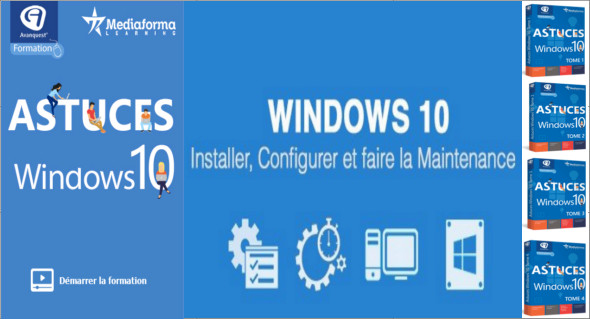
Windows 10 Tips Training allows you to discover and master the main features of the new Windows 10 system by training interactive videos designed for beginners and professionals.
Avanquest Training Windows 10 Tips is a comprehensive ebook packed with tips and tricks for Windows 10. You'll find advice to help you get the most out of your Windows 10 computer. You can improve your computer's performance and access confidential areas. 1001 tips and tricks in French.
Windows 10 Tips Training Tom 1:
– Update drivers in Windows 10
– Purge DLL memory
– Speed up Windows 10 by changing the file size
– Access special characters in all your documents
– A different wallpaper every day
– Change the default search engine in Microsoft Edge
– Personal clouds
– Open File Explorer to the This PC folder
– But where did the available space on my hard drive go?
– Speed up file searches
– Monitor the processor temperature
– What is the weak link in your computer?
– Create a backup of your data
Size : 412.0 MB
Windows 10 Tips Tom 2 Training:
– Create your own app icons
– Make the text more readable on the screen
– Hide, minimize, or remove Cortana from the taskbar
– Reset Microsoft Edge
– Create an email address with your own domain
– Troubleshoot your loved ones' PCs remotely
– Rename files in batches
– Instantly improves audio quality on your PC
– What is the actual speed of your SSD?
– Disable anything that could affect the speed of Windows execution.
Size : 342.9 MB
Windows 10 Tips Tom 3 Training:
– Access all Office documents in just a few mouse clicks
– Test your WiFi connection
– Define a unit letter for a file
– Add tabs in File Explorer
– Create password-protected ZIP files
– Delete the problematic files/folders
– Restarting a computer using the keyboard
– Disable the touchpad on a laptop
– Add the Hibernate command to the Start menu
– Convert your documents to read on a reader or tablet
– Say a random phrase when you start your computer
– Keyboard shortcuts using the Windows key
Size : 346.0 MB
Windows 10 Tips Tom 4 Training:
– Open multiple web pages with a shortcut
– The web in the taskbar
– 25 GB of free cloud storage
– Prevent Windows from restarting automatically
– Change privacy options
– Free television, everywhere!
– Maximize the performance of a laptop
– Change the color of folders in Explorer
– Portable applications in the Start menu
– Add commands to the Windows system menu
– Display a message when the computer starts up
– A key to install Windows 10
Size : 397.3 MB
Windows 10 Tips Training Tom 1/2/3/4
Size : 1.46 GB
This article was updated on April 15, 2019