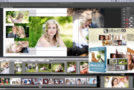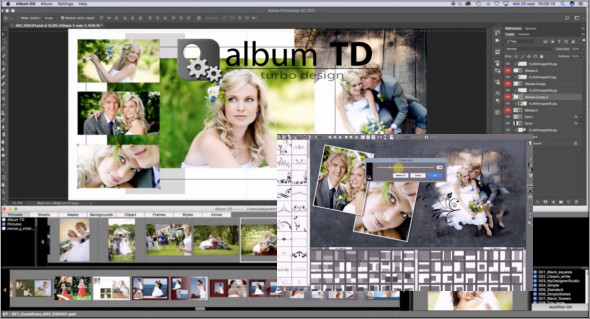
Album Turbo Design software lets you design a large-format album in seconds. You can instantly create layouts for individual sheets and panoramic pages. Attractive and trendy designs that you can customize to your style. It's also a new add-on tool for album design within Photoshop. You can also use DS Portable Album.
Turbo Design album, fast, easy and full of features:
– Album design software for designing all products at once, including backgrounds, masks, clipart and, of course, image rotations and opacity variations.
– Drag and drop to instantly create a drawing.
– Grid mode for designing all margins at once.
– Easily swap and add images between the margins.
– Reorganize the margins simply by dragging them.
– Precise spacing between images.
– Insert images between others.
– Margin around the images.
– Includes backgrounds, clipart, and a mask. You can even add your own to the library.
– Use an image as a background.
– An integrated image editor to define levels, contrast and brightness, shadows and highlights, hue and saturation, sharpness.
– Rotation of images and clipart.
– Save your own designs as a layout.
– Almost infinite combinations of layouts, margins and gaps.
– A truly dynamic preview of layouts filled with images, backgrounds, and clipart.
– Separate the background color for the left and right.
– Define the background opacity, hue and saturation.
– Define the opacity and color of the clipart.
– Export to Adobe Photoshop, overlaid documents with uncropped images as smart objects.
– Full color management, export to sRGB and Adobe RGB.
– Free design, resize and reposition any layer.
– Aspect ratio 3:2 and free design provisions.
– Automatic magnetic alignment
– Virtual mobile center to create margins with different layouts for the left and right.
– Reduced image opacity.
– Texts, all installed fonts available. Set the color and size.
– Black and white or sepia images.
– Easy merging of images using masks. Customizable using the mask brush.
– Self-creation of the entire album.
– Drag images directly from Finder, Windows File Explorer or other applications into the design.
– The images used are displayed with lower opacity or hidden.
– Images are automatically placed in the secure area defined by predefined album sizes.
Version : 4.1.1
Language : Multilingual (French included)
Size : 283.44 MB
Configuration:
– Windows (x64 Bits): 7, 8, 8.1, 10
Album Turbo Design 4.1.1 (x64)
This article was updated on August 11, 2021