Universal Book Reader offers a customizable reading experience for your Android tablet or smartphone, allowing you to read all EPUB and PDF ebooks. It also gives you the option to convert formats to EPUB and PDF to read books in various formats. The app is easy to use, featuring a simple and attractive design with intuitive navigation.
Flexible reading experience — easy to customize:
– Great reading experience — Flipping through animations, slide transitions or transitions.
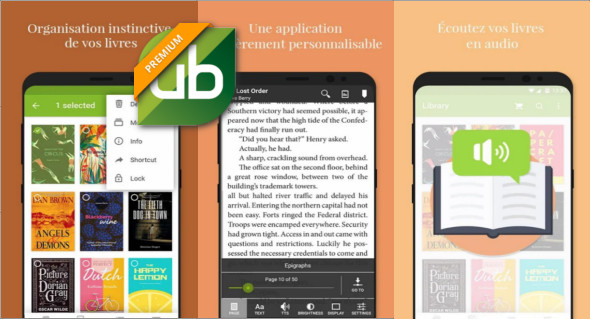
– Intuitive and fast navigation – scroll cursor, page pointer, table of contents and volume button page control to help you browse your books.
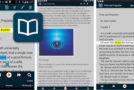
– Customizable reading experience – multiple font types and sizes, brightness adjustment and page orientation settings.
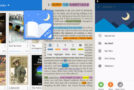
– Easy on night eye reading mode.
– Look in your book for specific phrases or words.
– Bookmark pages for quick reference later. Highlight text or leave notes for future use.
– Localized in 12 languages – Brazilian Portuguese, Dutch, French, German, Italian, Japanese, Korean, Polish, Russian, Simplified Chinese, Spanish and Swedish.
Many book formats:
– Convert azw, azw3, cbc, cbr, cbz, chm, docx, fb2, allumé, lrf, mobi, pdb, pml, prc, rb, tcr and txt to ePub
– Convert ai, bmp, csv, djvu, doc, dwg, dxf, eps, gif, jpg, odg, odp, ods, odt, pcx, png, pps, ppsx, ppt, pptx, psd, pub, rtf, svg, tga, tiff, wbmp, webp, wmf, wpd, wps, xlr, xls, xlsx and xps in PDF
Easy and simple management of ebooks:
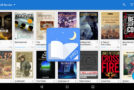
– The Library view allows you to add new collections with custom thumbnails and switch between multiple library views to browse your collection.
– Built-in file browser – quickly browse and import your own EPUB and PDF books from your device, and also import entire folders of ebooks.
– Books can be received as attachments and imported into UB Reader from the Preview option of the email client.
– Sort books by title, author, or recent use.
– Filter by reading current books to focus on what is important at the moment.
Version : 4.0.936 Premium
Compatibility: Android 4.0.3 or higher
Size : 19.3 MB
This article was updated on June 30, 2018