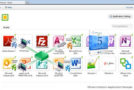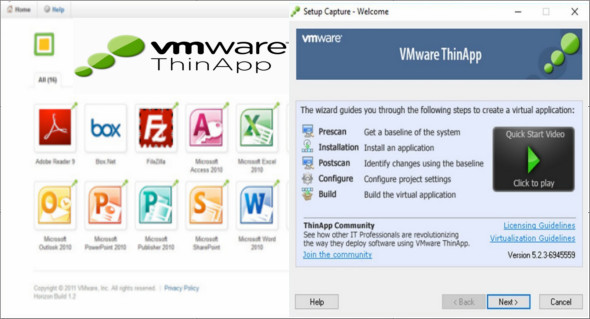
VMware ThinApp is designed to provide virtualized application instances to help IT administrators migrate their software to a newer operating system and eliminate specific conflicts and compatibility issues. Using VMware ThinApp software, you can create an initial baseline of your system, deploy or package software, and verify specific differences.
OS Migrations
Quickly migrate your applications to Windows 7 or Windows 8 by eliminating the need to recode, retest, and recertify. Faster deployments with less testing mean your enterprise applications will be in production sooner, minimizing downtime and business risk. To make things even easier, you can automatically convert silently installed applications into ThinApp packages. Furthermore, if you have already packaged applications with ThinApp for Windows XP or other versions of Windows, you can easily convert them to the Windows ThinApp format using ThinApp's Relink feature.
Application insulation
Bundle an entire 32-bit or 64-bit application and its settings into a single executable .MSI or .EXE file that can be deployed across multiple Windows operating environments. These virtual applications are isolated from each other and run independently without modifying the underlying operating system, eliminating application-to-application and application-to-OS conflicts.
Server consolidation
The traditional application-per-server model requires dedicated hardware for specific applications that cannot coexist, whether for technical reasons or due to data isolation issues. VMware ThinApp 5 eliminates these application silos for better utilization of existing resources while simplifying application management and deployment.
Security
With VMware ThinApp, applications can run in restricted user accounts on locked-down PCs without system modifications or compromising security policies. VMware ThinApp 5 has no kernel-mode code and therefore cannot violate the computer group policy applied to user accounts. This enables the secure deployment of virtualized packages in environments where security and stability are critical.
Mobility
Whether on the road or in the office, users need reliable and flexible application access on virtually any computer they have access to, including kiosks and hotel computers. With VMware ThinApp, they don't need to install any software or device drivers, nor do they need administrator privileges. Applications run directly from portable storage devices, including flash drives.
Version : 5.2.9 Build 17340778
Language : English
Size : 17.93 MB
Configuration:
– Windows (x32/x64 Bits): 7, 8, 8.1, 10
VMware ThinApp Enterprise 5.2.9
This article was updated on January 12, 2021