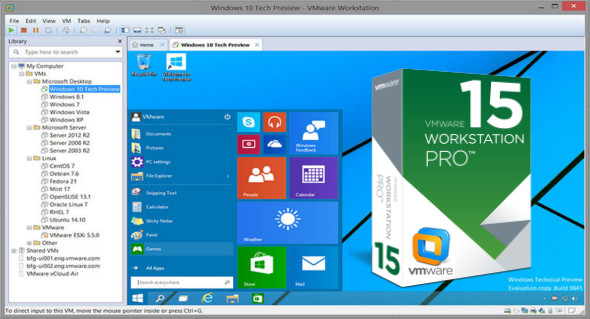
VMware Workstation Pro software is designed for IT professionals, developers, and businesses that build, test, or display software or systems. This program runs multiple Linux or Windows operating systems as virtual machines (VMs) on a single PC.
Run multiple operating systems
Easily create Linux, Windows VM, and other workstation, server, and tablet environments, with virtual network simulation and configurable network state for code development, solution design, application testing, product demonstrations, and more. Workstation Pro supports hundreds of operating systems and utilizes cloud and container technologies such as Docker.
Connect VMware vSphere
Securely connect to vSphere, ESXi, or other desktop servers to run, monitor, and manage virtual machines and physical hosts. VMware Hyper Hyper maximizes productivity and makes it easy to transfer virtual machines to and from your local machine.
Safe and isolated environments
Run a second, secure desktop with different privacy settings and network configuration tools, or use tools to investigate operating system vulnerabilities. The workstation provides one of the most common drivers in the field and offers powerful features for IT security professionals.
Over 200 operating systems are supported, including:
Windows 10, Windows 8.X, Windows 7, Windows XP, Ubuntu, Red Hat, SUSE, Oracle Linux, Debian, Fedora, openSUSE, Mint, CentOS.
Configuration :
– Windows (x64 Bits): 7, 8, 8.1, 10
– Processor: 2 GHz
– RAM: 4 GB
Language : English
Size : 440.0 MB / Lite: 166.9 MB
VMware Workstation Pro 15.0.2 Build 10952284
VMware Workstation Pro 15.0.2 Build 10952284 Lite
This article was updated on December 20, 2018