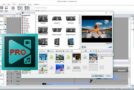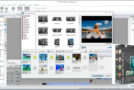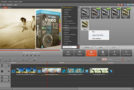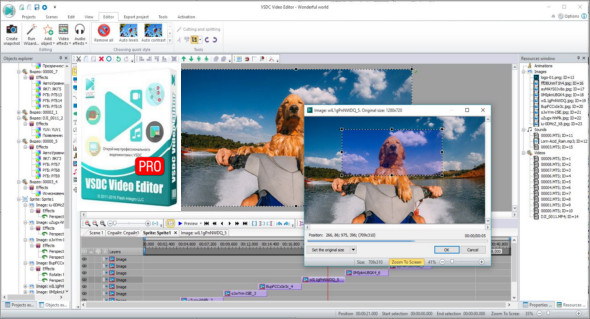
Video Editor helps you edit video files and create videos with various visual and audio effects. The program offers rich features and has a simple, intuitive interface, allowing you to create videos with minimal effort. This editor supports all video and audio formats and almost all codecs. Therefore, you won't need any additional conversion tools to edit your files, unlike with other programs.
This editor is a non-linear tool. This means that, unlike most other editors where scenes are layered in a predetermined sequence and order, this software allows objects to be placed anywhere on the timeline and of any size. Furthermore, various parameters, such as the shape and position of objects, can change arbitrarily over time.
Visual and audio effects/Video library
This program provides you with various visual and audio effects for your videos to achieve the desired result. These are divided into five categories for easy navigation: object conversion, object filters, color correction, transition effects, and special effects. The editor program will help you organize your video collection and simplify access to the files you need, thanks to your own media library with brief or detailed descriptions.
Working with graphs
The appearance of the diagrams is fully customizable (chart appearance, coordinate axes, user-defined axes, legends, chart and axis names, lines, labels, and other elements), which will help you tailor them to your specific needs. Built-in color themes allow you to quickly change the look of your charts.
Built-in converter and DVD burning tool
The application is designed to quickly convert video files from one format to another. The editor comes with a DVD burning tool, allowing you to easily burn the results of your work onto optical discs.
What's new ?
* The "360 in 2D" option added to "Video Effects" allows users to preview and edit 360° videos.
* The "3D to 2D" option added to "Video Effects" allows users to preview and edit 3D videos.
* Transition effect templates available for editing.
* Background templates for Halloween, Christmas and other special occasions are available for download on the VSDC Store website.
* A modified timeline settings format with three available scale saving modes.
* New group operations to make objects of the same width and height added.
* An option to save a scene with its output resources introduced.
* New parameters added and minor improvements made to Audio Spectrum.
– Minor bug fixes:
* Errors in processing deleted MKV files;
* Updated MP3 codec;
* Crashes occur when processing a large number of blocked text objects;
* DPI error corrected in the voice recorder;
* Incorrect object placement after motion deletion corrected.
Configuration:
– Windows (x32/x64 Bits): 7, 8, 8.1, 10
– Processor: 1 GHz
– RAM: 1 GB
Language : Multilingual (French included)
Size : 88.9 MB
This article was updated on November 13, 2018