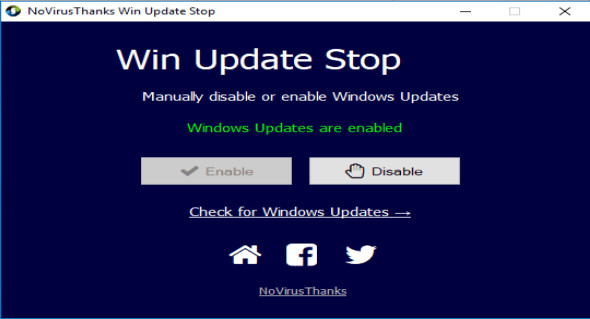
This small Windows utility lets you manually disable or enable automatic Windows updates. Sometimes you might want to stop Windows updates so you can choose when to download and install new ones. As you know, Windows updates are very important, but they can sometimes cause incompatibilities or problems with the operating system and installed applications. Use this utility to block Windows updates and re-enable them when you want.
Stop Windows updates
Permanently disable automatic Windows updates via a simple graphical interface.
Windows update status
Find out if Windows updates are enabled or disabled on your PC.
Check for updates
Click on "Check for Windows Updates" to open the Windows Update application.
Works on XP, 7, 8, 10
This tool works on all versions of Windows OS, from Windows XP to Windows 10.
Very light
The software application uses only a few MB of memory, you won't even notice it.
Free
This software is completely free.
Configuration:
– Windows (x32/x64 Bits): XP, Vista, 7, 8, 8.1, 10
– Processor: 1 GHz
– RAM: 1 GB
– Disk space: 5 MB
Language : English
Size : 1.2 MB
This article was updated on March 12, 2018