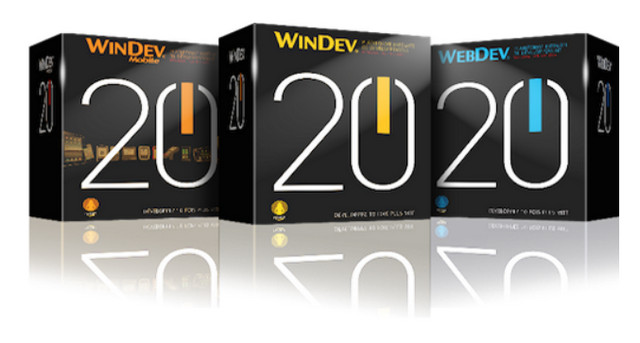
WINDEV:
WinDev is a software engineering workshop (AGL) published by the French company PC SOFT and designed to develop applications, mainly data-oriented for Windows 10, 8, 7, Vista, XP, 2008, 2003, 2000, but also for Mac OS, Linux, .Net and Java and across any mobile platform whether they are Android, IOS, WindowsPhone and many more.
It offers its own language, called WLanguage.
WD20Alive:
Activation of all versions of WINDEV 20 (WD WM WB)
Platform: WINDOWS XP a 10 in 32Bits or 64Bits version
Windev configuration:
Development position:
* 4 GB of main memory (8 GB or more recommended).
* 4 GB of disk space (10 GB for a full installation: there are hundreds of examples included as standard).
* under Windows Vista or 7 (32 or 64 bits) or higher.
User workstation:
* 256 MB of main memory.
* under Windows XP, 2003, Vista or 7 (32 or 64 bits) or higher.
Windev Mobile configuration:
Development position:
* 4 GB of main memory (8 GB or more recommended).
* 4 GB of disk space (10 GB for a full installation: there are hundreds of examples included as standard).
* under Windows Vista or 7 (32 or 64 bits) or higher.
Mobile Station:
equipped with ARM or ARM compatible processors (XScale, Samsung, … except ARM V4T compatible processors), X86 or X86 compatible (Intel Transmeta, Geode, …) with 64 MB of main memory.
Webdev configuration:
Development position:
* 4 GB of main memory (8 GB or more recommended).
* 4 GB of disk space (10 GB for a full installation: there are hundreds of examples included as standard).
* under Windows Vista or 7 (32 or 64 bits) or higher.
Hosting provider position:
* Server with 1 GB of main memory
* Windows XP, 2003, Vista or 7
* Web server (see section "Web server configuration")
Internet user post:
* standard internet browser
Facility
WINDEV:
Install the desired version of WINDEV.
If your OS is 64-bit, then choose the 32-bit installation.
Install them in the following order:
41k
51m
57k
66p
You absolutely must install up to the 66p update. All tests were performed on this version.
If you were using version 1.1 of WD20Alive, you must uninstall it. Once version 1.2.1 is installed, click on "remove emulator".
WD20Alive:
Prerequisites:
– Windows XP, 7, 8 or 10 version 32 or 64 bits,
– WD20 and/or WB20 and/or WM20, installed with the latest update
– If a dump is already installed on the machine, check that the access path is not blocked in the registry.
– Close your current work as WD20Alive will automatically restart the computer.
Using WD2Alive:
1 – Install and launch WD20Alive from an administrator session,
2 – Important: if a dump is already installed on the machine, click on “Delete the emulator”,
3 – Click on “Test Mode”. If the OS is Windows 8 or higher, the advanced startup screen will launch; choose:
" Troubleshooting ",
“Advanced options”,
“Settings”,
"Restart",
Upon restarting, press "F7" to "Disable mandatory driver signature enforcement".
4 – Launch WD20Alive and then select the WD20 series executables installed on the computer by clicking on “…”,
5 – Launch the installation of the dump and the patch by clicking on “Install Emulator”,
6 – Click on “Switch” if you wish to use other products: select your installed versions and then confirm by clicking on “Switch” again (the dumps and patches will be installed automatically),
7 – The blocking of registry keys is done automatically.
– to import a WD 18 project (generated from a generic dump) into WD 20, install the WD19 dump, launch WD18, open your project then: Project menu >> Other action >> Repair project (upgrade).
- Language: French
- Size: 17.93 GB
Download links (parts) Size: 2.94 GB
Uptobox
DOWNLOAD PART 1 Uptobox server
DOWNLOAD PART 2 Uptobox server
DOWNLOAD PART 3 Uptobox server
DOWNLOAD PART 4 Uptobox server
DOWNLOAD PART 5 Uptobox server
DOWNLOAD PART 6 Uptobox server
DOWNLOAD PART 7 Uptobox server
1File
Mega
This article was updated on December 10, 2016