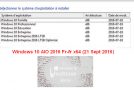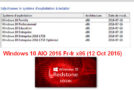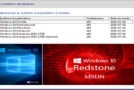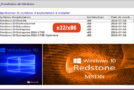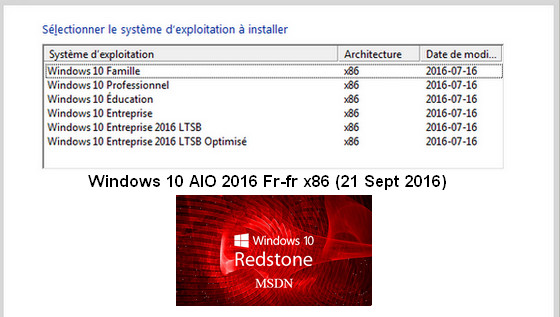
This ISO includes the following versions:
– Windows 10 Home x86
– Windows 10 Pro x86
– Windows 10 Education x86
– Windows 10 Enterprise x86
– Windows 10 Enterprise LTSB x86
– Windows 10 Enterprise LTSB x86 Optimized
Windows 10 Redstone Code 1 or Anniversary Update offers a range of updates and new tools:
– Start Menu redesigned and improved
– The notification center, which is becoming more useful and comprehensive
– On the professional side, Bash and Docker take center stage
– The Windows Store with more important information
– Edge with extensions and improved battery life
– Added option in Cortana
– New touch mode
Basically, in LTSB (by default):
– No Cortana
– No Edge browser
– No Windows Store
– No colony programs installed anywhere
– The .Net framework 3.5 functionality is enabled by default on all editions.
Changes made to all editions:
– Integration of updates (September 21, 2016)
(with the exception of MRT and Windows Defender)
Changes made ONLY to the optimized edition:
OneDrive => Deleted
Windows Search => Disabled
Services:
– File History Service => Disabled
– Offline file service => Disabled
– File indexing service => Disabled
– Windows Defender Service => Disabled (cannot be re-enabled)
Tweaks:
– Desktop – The desktop icon is visible on the desktop
– Explorer – Disabling the list of recently opened programs
– Explore – Disabling user tracking
– Explorer – Increased icon cache to 4MB
– Explorer – Open File Explorer on (This PC)
– Explore – Recent document history (delete on close)
– Explore – Recent Document History (Do not save)
– Explore – Remove recent folders from the navigation pane
– Explorer – Deleting recent files from the navigation pane
– Explore – Remove the "shortcut to…" suffix from created shortcuts
– Explore – Run in a separate process
– System – Block negative DNS entries
– System – Disabling bandwidth limit
– System – Enabling a larger system cache (HDD and SSD)
– System – Improved disk check time (5 sec)
– System – Improved system shutdown speed
– System – Improved Windows shell response
– System – Reduced launch time for desktop applications at startup
– Taskbar – Disabling the search bar (on the taskbar)
Configuration:
– 32-bit (x86) 1 gigahertz processor
– At least 2 GB of RAM
– At least 16 GB of hard drive space
– Microsoft DirectX 9 graphics device
Activation:
This version does not include an activator; you will need to use your key or an activator:
Microsoft toolkit 2.6 Or KMS pico 10.2.0
- Language: French
- Size: 2.5 GB
This article was updated on May 4, 2023