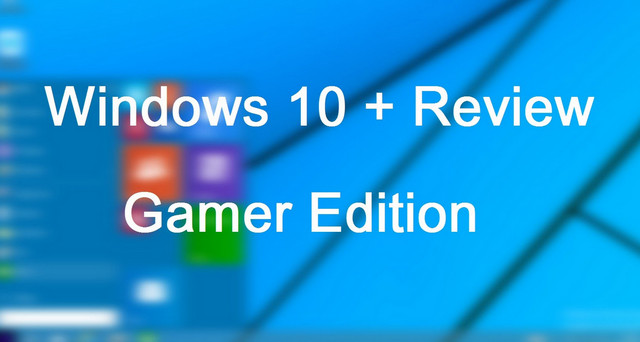
Windows 10 Gamers Edition – Windows 10 Technical Preview is a modified version by Team-OS. Windows 10 Gamers Edition is very well suited for gamers because it looks very cool and appealing.
Included software :
– 360 Total Security
– Adobe Reader
– Adobe Flash Player
– Adobe ActiveX
– CCleaner Professional
– Format Factory
– Internet Download Manager
– Java Runtime Environment 8.25
– Notepad++ 6.9
– Microsoft Silverlight x64
– Malwarebytes
– Skype
– Ultra ISO 9.8.1
– USB Disk Security 6.2.0.432
– VLC Media Player 2.1.5
– Visual C++ 2005 x86
– Visual C++ 2005 x64
– Visual C++ 2008 x86 9.0.30729.7523
– Visual C++ 2008 x64 9.0.30729.7523
– Visual C++ 2010 x86 10.0.40219.455
– Visual C++ 2010 x64 10.0.40219.455
– Visual C++ 2012 x86 11.0.60830.0
– Visual C++ 2012 x64 11.0.60830.0
– Visual C++ 2013 x86 12.0.21005.1
– Visual C++ 2013 x64 12.0.21005.1
– Microsoft Visual F Runtime 2.0
– Winrar 5.0
What is removed:
-Drivers for modems (Except base and Nokia)
-Printers (except HP, GE, OLED, MS)
-Windows Defender
-Natural Speech
-Handwriting
-HomeGroup
-Terminals
-Telnet
-Group Policy
-HyperV
-Virtualization
-Winsxs
-Mail
-PowerShell
-Onscreen keyboard
-Indexing
-Parental Control
-Network Printing
What's new ??
– New Eye catching themes
– New icon sets
– New Sound schemes
– New Registry settings
– Hang time ratio improved
– Added best shortcut styles
– Improved application interface
– Added RUN on start menu
– Add change theme
– Add change wallpaper
– Add desktop icon settings
– Advanced user accounting
– Clear type view
– Disable Tool Tips
– Disable Hibernate
– Don’t mark new apps
– On Right Click Freeware Sys
– Enable Clear Type Tuning
– Enable DVD in media player
– Enable Glass Effect (WDM) without graphics card
– Enable MP3 Encoding on right click
– Enable slow motion windows effects
– Enable status bar in notepad
– Get rid of windows mail splash
– Give your self permission to modify all
– Grant full admin control
– DiLshad Sys Site direct link from right click
– Removed Action center Icon
– Windows speed tweaking
– Wait to kill service – 2000
– Low level hooks time out – 1000
– Hang application time out – 1000
– Menu show delay – 0
– No low disk space warning
– Process Schedule 1st Program
– Mouse Speed Increased
– Hang Ratio Decreased
– Fast Shut Down And Login
– Down Power After Shut Down
– Touch Screen Feature Added
– Grant Admin control on Right Click
– Add Admin Tools on Desktop Context Menu
– Add manage on Desktop Context Menu
– Add Move to Folder on Desktop Context Menu
– Add Copy To Folder on Desktop Context Menu
– Add Task Manager on Desktop Context Menu
– Add Take Ownership on Desktop Context Menu
– Add Register and Unregister to .dll OCX Context Menu
– 500ms Delay Aero
– Larger Taskbar Previews
– small Taskbar Icon
– Detailed Shut Down And Login
– Blocked Negative DNS Entery
– Turn Off System Beep
– Turn off low disk
Test : Tested on Intel DC, C2D, i3, i5, i7, AMD CQ
- Language: English
- Size: 2.10 GB
This article was updated on September 9, 2019