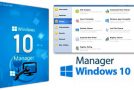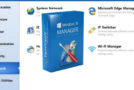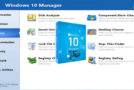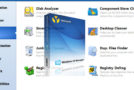
What is Windows 10 Manager?
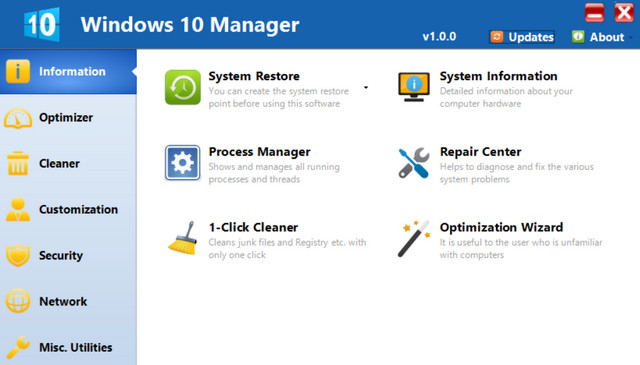
Windows 10 Manager is a system utility that helps you optimize, customize, repair, and clean your Windows 10. It will increase system speed, eliminate defects, improve security, and meet all your expectations.
Why do I need to use Windows 10 Manager?
Windows 10 is the latest operating system for individuals and professionals.
Windows 10 is an OS that makes everyday tasks easier with your PC.
Windows 10 Manager is the powerful software tool to personalize and optimize your Windows 10; it includes more than 40 different utilities to make your system faster, more stable, secure, and personalized!
Features and benefits of Windows 10 Manager Information:
– You get the details of all the hardware information about your system.
– Allows you to find the Windows installation key
– Show all the detailed information about the processes and tasks on your machine while it is running
– Windows 10 Manager enables 1-click Maintenance Cleaner, which automatically cleans your system
– The Repair Centre helps you fix various system problems.
To optimise:
– Scans your system to improve Windows startup and shutdown speed, fine-tunes your hardware to increase system speed and performance.
– Control Windows startup, check and repair advanced startup elements to restore changes caused by malicious viruses.
– Develop and optimize system services and task scheduling, intelligently disable certain unnecessary system services and tasks to improve system performance.
To clean:
– Discover which files or folders are taking up space on your disk. – Smart uninstallation that completely removes programs from your system without leaving behind residual files or unnecessary registry entries.
– Find and clean up unnecessary files to increase hard drive space.
– You can scan your computer for files with the same size, same name, same modification date.
– Repair the Registry entries.
– Rebuild and re-index your registry to reduce registry access time and thus improve application responsiveness.
– Easily clean up unnecessary icons and files on your desktop.
Customization:
– Personalize the appearance of your system by adjusting the System Explorer, desktop, Start menu, taskbar, and notification area.
– Manage pinned items, can pin all files or folders to the taskbar or start screen.
– Create quick start items on the taskbar with the Jump List.
– A “harmonious” Windows 10 Start Menu.
– Modify the right-click mouse context menus.
– Change the image of the automatic lock screen.
Security:
– Improve system security by adjusting system components, user account control settings, and login parameters
– Fine-tuning, restoring the options system.
– Hide or restrict access to players or programs.
– Encrypt/decrypt files, system folders and move them to secure locations.
– Recover files that were accidentally deleted or formatted on the disk.
– Eliminate the traces you leave “hanging around” while preserving your privacy.
– Hide, add or delete control panel entries.
Network:
– Optimize your internet connection speed.
– Easily customize Microsoft Edge and Internet Explorer.
– Easily change your IP address on different networks.
– Modify the Hosts file to speed up Internet browsing and allow access only to specified hosts.
Various Utilities:
– See the collection of Windows utilities and system elements integrated into the Start screen and taskbar.
– Split and merge files.
– Automatically back up files by regularly using Super Copy.
– Registry Tools helps you to easily operate the Registry.
- Compatibility: Windows 10 32/64bit
- Language: Multi
- Size: 16.76 MB
This article was updated on July 22, 2016