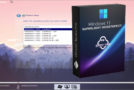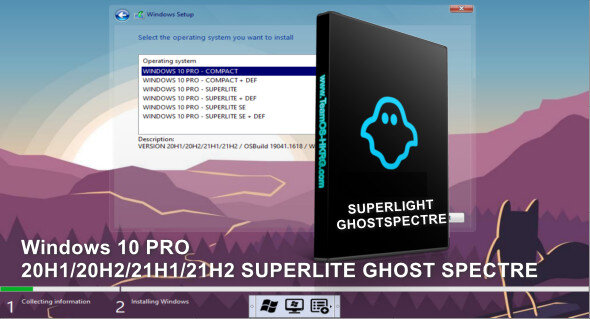
The goal of this Windows 10 Superlight GhostSpectre edition is to allow any type of computer with limited speed to run Windows 10 Pro without update issues, RAM limitations, or outdated hard drives, thanks to the removal of many unnecessary features and applications. You can use the version Windows 11 PRO 21H2 Superlight Ghostspectre.
There are two versions to choose from during installation:
1- SUPERLITE WITH or WITHOUT DEFENDER: This version is extensively modified – for advanced users* – (suitable for gaming and streaming)
2- COMPACT WITH or WITHOUT DEFENDER: This is a standard version, no modifications, just the removal of applications/bloatware (suitable for average users, compatible with laptops/desktops/tablets)
Features:
– Integrated compact + LZX (algorithm)
– Bloatware/Spyware removed
– Optimized Pagefile/Services/Scheduled/Search Indexer
– Privacy optimizations & Performance mode!
– GHOST Toolbox! (Add or remove the Windows Store and much more!)
– Supports any other language and keyboard
– Support for UWP games / UWP applications (e.g., Forza/GOW/etc.)
– Update (can be updated to the latest version of Windows 10!)
– The Windows update can be paused until 2077!
– Custom icon packs / Windows Themes pack!
Modifications (Can be reactivated/modified via the GHOST toolbox):
– Removes Windows apps and system applications
– Removes Windows/Defender/Smartscreen security
– Disables Remote Desktop / Tablet Keyboard / NFC / Clipboard / Focus Assist – (Superlite only)
– Disables the print spooler (if you need printers, set it to Auto in Services)
– Remove OneDrive (you can recover it using the ghost toolbox)
– Disable Action Center / Notifications – (Superlite only)
– Disable telemetry – (Superlite only)
– Removes error reports – (Superlite only)
– Disable UAC
– Delete the WinSxS backup
– Remove WinRE (can be added using Ghost Toolbox)
-Network sharing is disabled by default for guest users in Windows 10 2004/2009.
– .NET if you need the older .NET framework 3.5/2.x,
Please disable NETFX4 on Ghost Toolbox and download NETFX3.5 via Windows Features.
– Microsoft Chat / Teams If you need to use Chat from the taskbar, install webview2.
Facility
Create a bootable ISO image with Rufus on a USB drive.
– For laptops/tablets please install the COMPACT version, and enable hibernation/sleep.
– No upgrade possible, new installation only.
Activation:
To activate it, enter the following commands in a command prompt (as administrator):
slmgr /skms kms.digiboy.ir
slmgr /ato
To change the language after installation.
Version : PRO SUPERLITE + SE + COMPACT. 2004/20H2/21H1/21H22/22H2 build 1904X.1889
Language : Multilingual
Size : 3.55 GB
Configuration:
– CPU: 1GHz or higher (minimum 2 cores) x64 Bits
Windows 10 PRO AIO 20H1/2 21H1/2 Superlight (UPDATE 4.1)
This article was updated on October 30, 2022