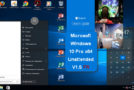
This installation includes software, enhancements, and pre-configured settings to simplify the user experience. Unlike the previous version, this one includes software that restores a Windows 7-style Start menu.
In addition, links to various installers were placed on the desktop to offer their installation services.
Office and Windows activation can be done via genuine keys or via the ZIP-compressed software in the "Activation" folder of the Desktop.
Release Base and/or Integrated Updates
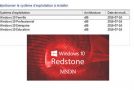
– Windows 10 Professional v.1511 build 10586 (Threshold 2) – 64-bit, French
– KB3140743 (Cumulative update of March 1, 2016)
Software integration
– Adobe Acrobat DC (Update 1501020056)
– Microsoft Office Pro 2016 (64-bit, French – Access, Excel, Outlook, PowerPoint, Publisher and Word)
– StartIsBack++ (Start Menu)
– WinRAR 5.31 (64-bit)
Optimizations and configurations
– Displaying details when copying files
– Displaying file extensions
– Display of the expanded explorer banner
– Added a Windows Toolbox accessible via right-click on the Desktop:
—> Repairs:
——~ Disappearance of the sound icon from the taskbar
—Disappearance of optical devices
—~ Documents awaiting printing are blocked
—> Security:
——~ Understanding the usefulness of a software program (Should I Remove It)
——~ Immunize USB drives (BitDefender USB Immunizer)
– Improved support for NTFS partitions
– Blocking Microsoft spyware via the Hosts file
– Optimal compression of the installation to fit on a single-layer DVD
– Disabling Cortana and search
– Disabling the requirement to sign in to the Windows Store
– Disabling updates via Peer-2-Peer
– Disabling User Account Control (UAC)
– Disabling recent document storage/search
– The Windows Viewer is available again
– Hiding the Active Applications button (Virtual Desktop)
– Cascading right-click menu for WinRAR options
– Open Explorer to “This PC”
– During installation:
—> Skip the final user agreement acceptance page
—> Skip the online account setup
—> Switch my wireless network configuration
—> Does not require a key to install
—> Do not send a report to Microsoft
– Ability to extract images from docx, pptx, and xlsx documents via the right-click menu
– Shortcuts to Windows Media Player on the Desktop and in the Start menu
Features removed
– Windows recovery function
– Links to obtain: 3D Builder, Microsoft Office, Microsoft Sway, Skype
– The Windows Getting Started Tutorial
- Language: French
- Size: 4.32 GB
This article was updated on June 21, 2020